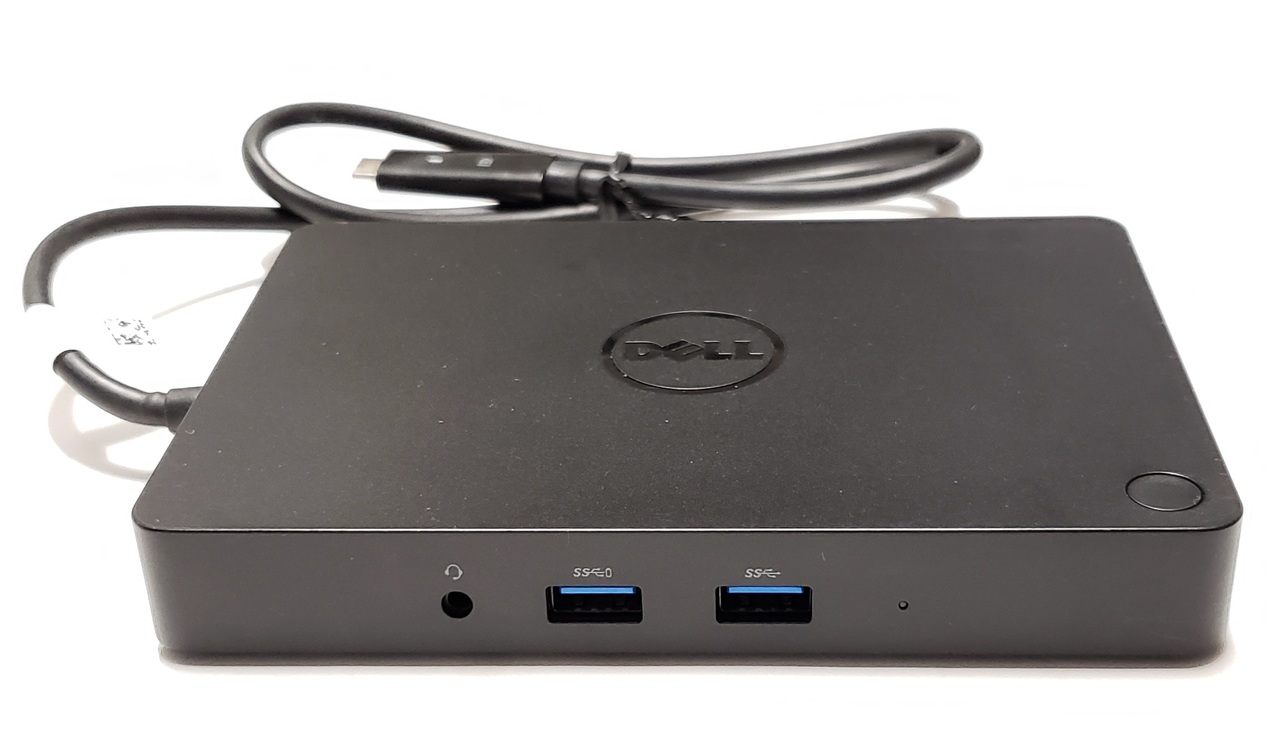
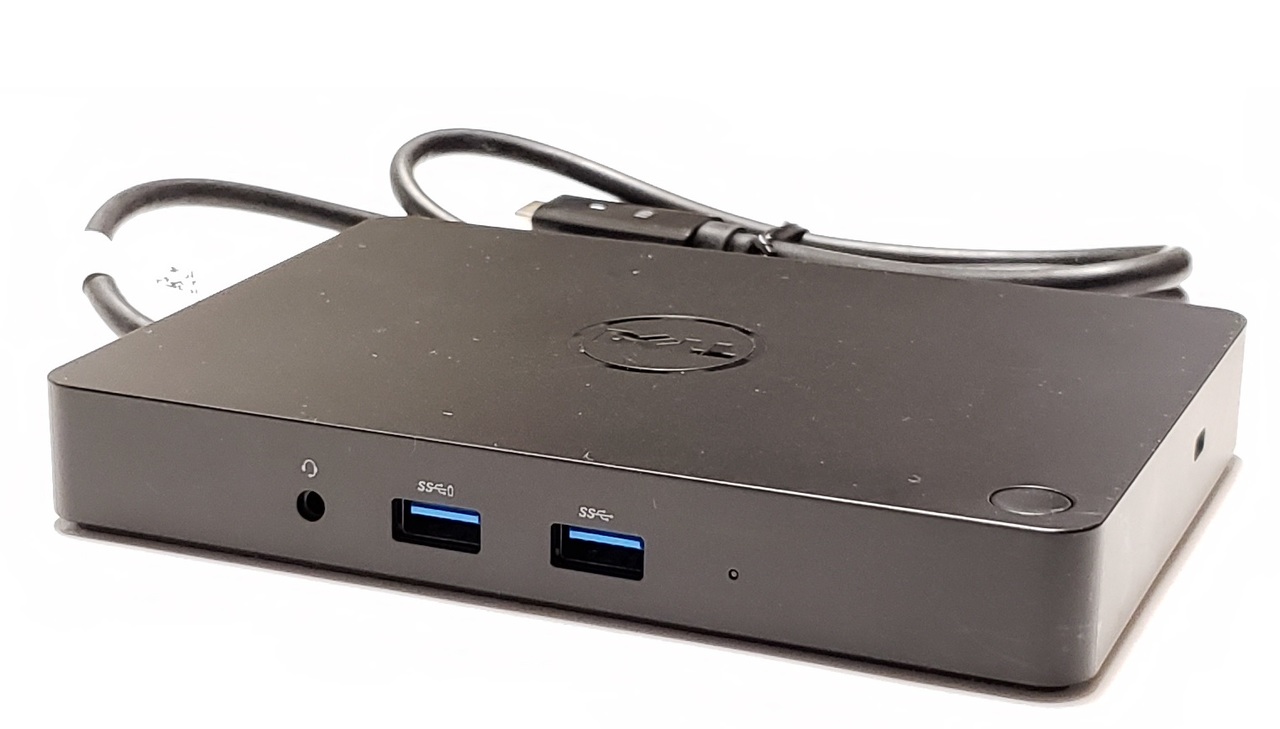
WD15 K17A001 USB-C Dock with 130W Adapter and 4K 30Hz Video
This genuine OEM WD15 docking station adds external displays, Gigabit Ethernet, USB peripherals, audio, and system charging through one USB-C connection. It supports one external display up to 3840 × 2160 at 30Hz or two external displays up to 1920 × 1200 at 60Hz when connected to a compatible USB-C DisplayPort Alt Mode system.
Although it can connect through a Thunderbolt 3 or Thunderbolt 4 port operating in USB-C compatibility mode, the WD15 is a USB-C DisplayPort Alt Mode dock and not a native Thunderbolt dock.
Package Includes
- WD15 Docking Station: Included
- USB-C Host Cable: Included and attached to the dock
- 130W AC Adapter: Included
- Three-Prong AC Power Cable: Included
- Additional Accessories: Not included
- Monitors and Video Cables: Not included
Technical Specifications
- Product Type: USB-C docking station / port replicator
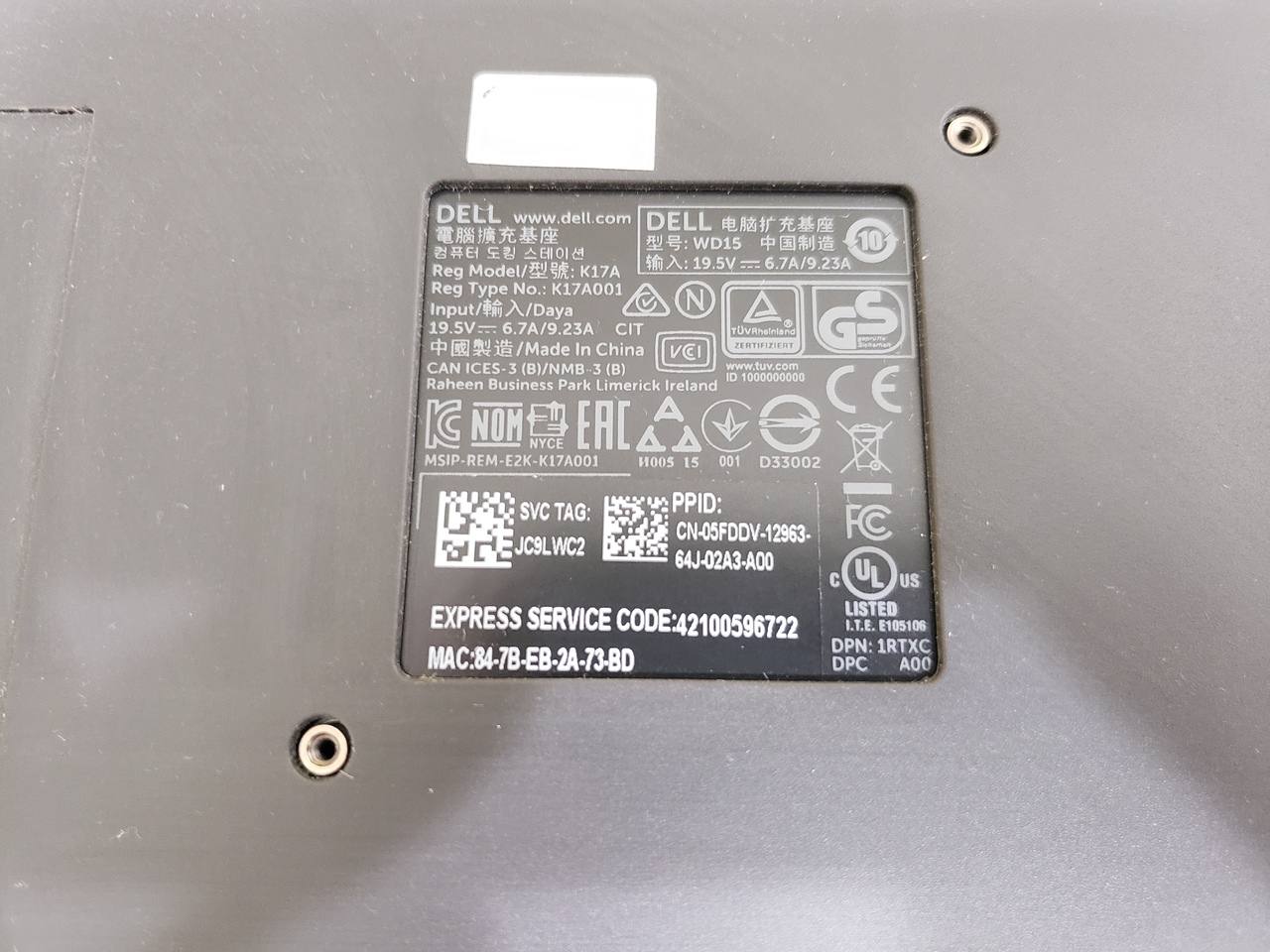
- Dock Model: WD15
- Regulatory Model: K17
- Regulatory Type: K17A
- Model Reference: K17A001
- Host Connection: USB-C
- Required Video Protocol: DisplayPort Alternate Mode over USB-C
- Host Cable Length: Approximately 0.8 meters
- Included Power Adapter: 130W
- Maximum Supported System Power Delivery: Up to 90W with the included 130W adapter
- Network Connection: 10/100/1000 Gigabit Ethernet
- Security: Kensington-style security cable slot
- Dock Controls: Sleep / wake button and reset button
- Status Indicators: Power and connection LEDs
- Dimensions: Approximately 6.1 × 4.3 × 0.83 inches
- Metric Dimensions: Approximately 155 × 110 × 21mm
- Weight: Approximately 0.93 lb / 420g
- Original Documented Operating-System Support: Windows 7 64-bit, Windows 8.1 64-bit, and Windows 10 64-bit
- Installation Type: External desktop docking station
Ports and Connections
- USB 3.0 Type-A Ports: 3 total
- Front USB 3.0 Ports: 2, including one PowerShare-capable port
- Rear USB 3.0 Ports: 1
- Rear USB 2.0 Type-A Ports: 2
- HDMI Port: 1 × HDMI 1.4a
- Mini DisplayPort: 1 × Mini DisplayPort 1.2
- VGA Port: 1 × 15-pin VGA
- Network Port: 1 × RJ-45 Gigabit Ethernet
- Front Audio Port: 1 × 3.5mm headset combination jack
- Rear Audio Port: 1 × 3.5mm speaker / line-out jack
- Host Connector: 1 × USB-C host cable
- Power Input: 1 × 7.4mm center-pin DC input
- Security Slot: 1 × cable-lock slot
Monitor and Resolution Support
- Maximum Independent External Displays: 2
- Single 4K Display: Up to 3840 × 2160 at 30Hz
- Single High-Resolution Display: Up to 2560 × 1600 at 60Hz
- Single Ultrawide Display: Up to 3440 × 1440 at 30Hz
- Single VGA Display: Up to 2048 × 1536 at 60Hz
- Dual 1080p Displays: Up to 1920 × 1080 at 60Hz each
- Dual WUXGA Displays: Up to 1920 × 1200 at 60Hz each
- Available Video Connections: HDMI, Mini DisplayPort, and VGA
The dock does not support two or three independent 4K monitors. A third monitor connected through VGA may be limited to cloned output rather than an independent extended desktop.
Maximum resolution depends on the computer’s graphics controller, USB-C DisplayPort lane configuration, firmware, operating system, display cables, and monitor capabilities.
Interchangeable / Replacement Part Numbers
50M23, 0CPR3, K17A001, 5FDDV, HDJ9R, 3R1D3, 450-AFGM, JDV23, GKY82, 6GFRT, 6C64Y, P6YMM, 452-BCCQ, F74NK, WD15, WD-15, K17, K17A, K17A001, 050M23, 05FDDV, 0HDJ9R, 03R1D3, 0JDV23, 0GKY82, 06GFRT, 06C64Y, 0P6YMM, 0F74NK
Included 130W AC Adapter
- Maximum Output Power: 130W
- Input Voltage: 100–240V AC
- Input Frequency: 50–60Hz
- Output Voltage: 19.5V DC
- Output Current: 6.67A / 6.7A
- DC Connector: 7.4mm outside diameter × 5.0mm inside diameter
- Center Identification Pin: Yes
- Polarity: Center positive
- Adapter AC Inlet: IEC 60320 C6
- Required Wall Cable: IEC 60320 C5 three-prong cloverleaf
- Maximum Dock-to-System Power Delivery: Up to 90W on supported systems
Common compatible adapter model references:
DA130PE1-00, FA130PE1-00, LA130PM121, HA130PM130, PA-4E, VJCH5, JU012, WRHKW, M55GJ, CM161, 331-5817
⭐➕ Compatible Replacement 130W AC Adapter
A compatible replacement adapter is available separately:
DA130PE1-00 130W 19.5V 6.7A Center-Pin AC Adapter
⭐➕ Compatible Replacement AC Power Cables
K260C 3FT Three-Prong IEC C5 Power Cable
K2490 6FT Three-Prong IEC C5 Power Cable
⭐➕ Compatible Replacement USB-C Host Cable
The documented replacement host-cable references include WC5JJ, 2WMD2, NWXM0, and PM41V.
WC5JJ USB-C Host Cable for WD15 K17 K17A Docking Station
The related cable-retaining bracket may be marked EC1DN000500.
EC1DN000500 USB-C Cable-Retaining Bracket
⭐➕ Optional Dock Mounting Kit
The mounting kit can secure the dock beneath a desk, behind a monitor, or on another compatible flat surface.
MK15 Mounting Kit for WD15 K17A Docking Station
✅ Confirmed Compatibility
The system must have a fully functional USB-C port supporting DisplayPort Alternate Mode. Charging additionally requires compatible USB Power Delivery support.
✔️ Alienware Series: 13 R2, 15 R2, 17 R3
✔️ Inspiron 13 7000 Series: 7368, 7370, 7373
✔️ Inspiron 14 7000 Series: 7460
✔️ Inspiron 15 5000 Series: 5570
✔️ Inspiron 15 7000 and G Series: 7560, 7570, 7588
✔️ Inspiron 17 5000 Series: 5770, 5775
✔️ Inspiron 17 7000 Series: 7773
✔️ Inspiron All-in-One Series: 5475
✔️ Latitude 11 5000 Series: 5175, 5179
✔️ Latitude 12 Series: 5280, 5290, 7275, 7280
✔️ Latitude 13 Series: 7370, 7380, 7390, 7389 2-in-1
✔️ Latitude 14 Series: 3490, 5480, 5490, 5491, 5495, 7480, 7490
✔️ Latitude 15 Series: 3590, E5570, 5580, 5590, 5591
✔️ Latitude 2-in-1 Series: 3390, 5285, 5289, 7285
✔️ Precision 3000 Series: 3510, 3520, 3530
✔️ Precision 5000 Series: 5510, 5520, 5530
✔️ Precision 7000 Series: 7510, 7520, 7720
✔️ Venue Series: Venue 8 Pro 5855, Venue 10 Pro 5056
✔️ XPS 12 Series: 9250
✔️ XPS 13 Series: 9350, 9360, 9365 2-in-1, 9370
✔️ XPS 15 Series: 9550, 9560, 9570, 9575 2-in-1
✔️ XPS Tower Special Edition: 8910 configurations equipped with the required USB-C video interface
☑️ Key Features
☑️ Genuine OEM WD15 USB-C docking station
☑️ Complete kit with dock, USB-C host cable, 130W adapter, and AC power cable
☑️ Supports one external monitor up to 4K 3840 × 2160 at 30Hz
☑️ Supports two external monitors up to 1920 × 1200 at 60Hz each
☑️ HDMI, Mini DisplayPort, and VGA video connections
☑️ Five USB Type-A peripheral ports
☑️ Front headset and rear speaker-output connections
☑️ Integrated Gigabit Ethernet port
☑️ Supplies up to 90W to supported systems
☑️ Security cable slot and dock sleep / wake button
☑️ Native DisplayPort Alternate Mode operation without DisplayLink software
⚙️ Fit Notes
- This is a USB-C DisplayPort Alternate Mode dock, not a native Thunderbolt docking station.
- A Thunderbolt 3 or Thunderbolt 4 computer may use the dock through backward-compatible USB-C operation.
- A USB-C connector alone does not confirm compatibility. The host port must support DisplayPort Alternate Mode for external monitors.
- The host must support USB Power Delivery to receive charging through the dock.
- Systems requiring more than 90W may display a low-power warning, charge slowly, reduce performance, or require the original system adapter to remain connected.
- Some systems may receive no more than 60W or may not accept charging from the dock.
- The included 130W adapter powers the dock but does not deliver the full 130W to the connected computer.
- Some higher-power Precision, XPS, and Alienware configurations may require their original system adapter or a different dock power configuration for full performance.
- Maximum display resolution depends on the host graphics controller, firmware, operating system, cables, and monitor capabilities.
- The three video connectors do not provide three independent 4K outputs.
- Dock sleep / wake button operation is not universal and depends on compatible system firmware.
- PXE boot, Wake-on-LAN, and MAC-address pass-through depend on supported BIOS and network settings.
- Protected HDCP video playback may not be supported through this dock.
- Update the computer BIOS, graphics driver, USB controller driver, Ethernet driver, audio driver, and dock firmware before troubleshooting.
- Disconnect the dock from the computer before replacing the USB-C host cable or AC adapter.
External Support Resources
Official WD15 Support Overview
Official WD15 Drivers and Downloads
Official WD15 Firmware Update Utility
Official WD15 Manuals and Documents
WD15 User Guide PDF
WD15 Quick Setup Guide PDF
WD15 BIOS Settings and Driver Installation Troubleshooting Guide