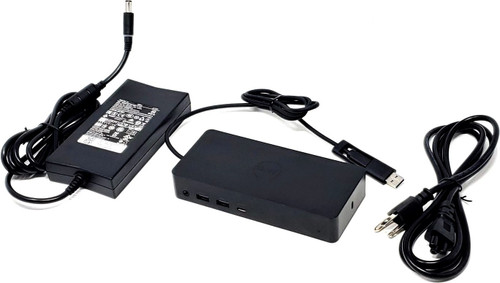
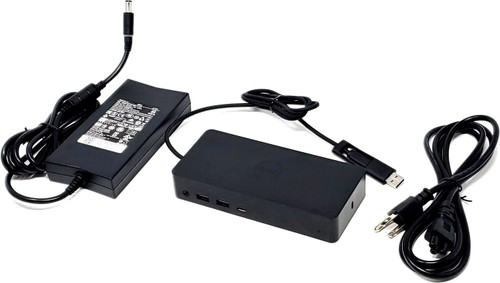
452-BCYT - D6000 Universal Dock Docking Station with 130W Adapter JU012
Universal desktop docking station for compatible laptops and workstations using USB-C or USB-A host connection. This dock expands a single host connection into multiple video outputs, USB ports, Gigabit Ethernet, and audio, and it includes the attached USB-C cable with USB-A adapter, a 130W AC adapter, and a 3-prong power cable for a complete setup. Dell’s official documentation confirms USB-C and USB 3.0 host support, 2 x DisplayPort 1.2, 1 x HDMI 2.0, Gigabit Ethernet, multiple USB ports, and USB-C power delivery up to 65W for supported systems.
Description
The D6000 is designed for office, hot-desk, and workstation environments where users need external monitor support, wired networking, USB accessory expansion, and audio from one dock. It uses DisplayLink technology and can work with many systems equipped with USB 3.0 Type-A, USB Type-C, or Thunderbolt 3, though Dell notes bandwidth is capped at USB 3.1 Gen 1 speeds and some features depend on the host system.
Technical Specifications
- Dock Model: D6000 Universal Dock
- Docking Part Number: 452-BCYT
- Interchangeable Dock Part Numbers: M4TJG, 1WNMX, FNVXM, M4R9V
- Input: 19.5V 6.7A
- Dimensions: 6.5" x 3.0" x 1.2" (16.51 x 7.62 x 3.048 cm)
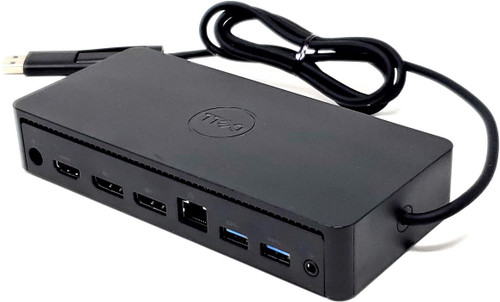
- Video Outputs: 2 x DisplayPort 1.2, 1 x HDMI 2.0
- Network: 1 x Gigabit Ethernet (RJ45)
- Host Connection: Attached USB-C cable with USB-A adapter
- USB-C Charging Support: Up to 65W for supported laptops
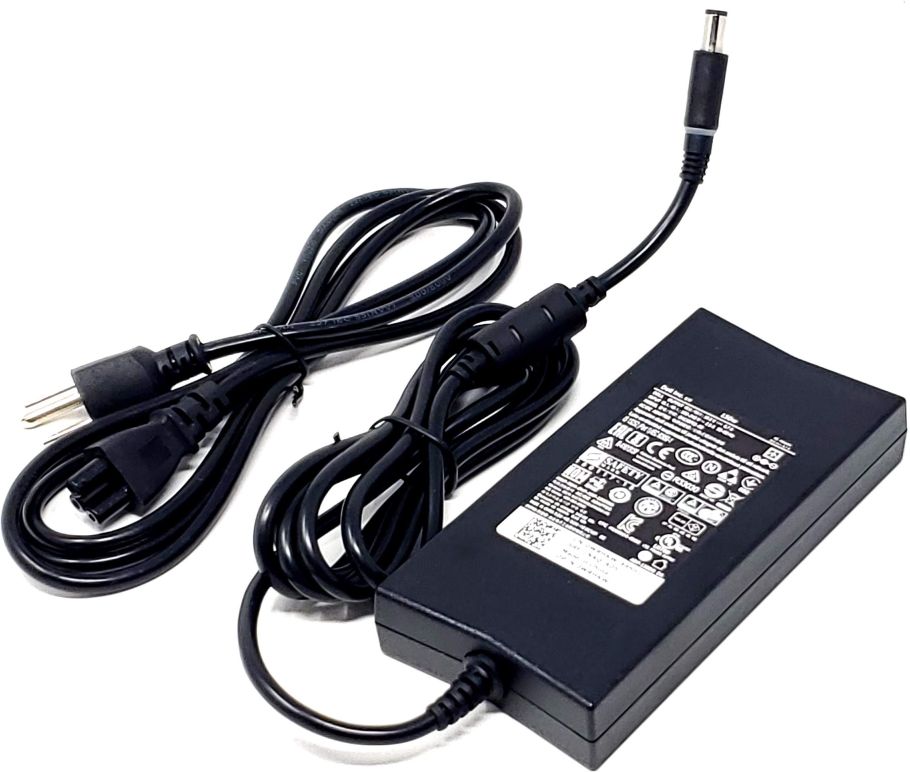
- Included AC Adapter: DA130PE1-00 / LA130PM121 / VJCH5 / PA-4E
- Included Power Cable: K260C or K2490
- Package Includes:
- 1x Docking station with attached USB-C cable and USB-A adapter
- 1x 130W AC Adapter
- 1x 3-prong power cable
Dell’s published D6000 specifications confirm the dock’s video outputs, USB connectivity, Ethernet, host connection types, and USB-C power delivery support.
Ports
- (3) USB 3.0 Type-A
- (1) USB 3.0 Type-A with PowerShare
- (1) USB Type-C data port with PowerShare
- (2) DisplayPort
- (1) HDMI
- (1) Gigabit Ethernet
- (1) Headphone / speaker audio port
- (1) USB host connection
- (1) Kensington lock slot
External Monitor Support
- Supports up to three external displays when connected to the host by USB-C
- Supports up to two external displays when connected to the host by USB-A
- Supports up to one 5K display at 5120 x 2880 @ 60Hz using two DisplayPort connections
- Supports up to 4K at 3840 x 2160 @ 60Hz on a single DisplayPort or HDMI connection
- In Dell’s official triple-display USB-C configuration, the dock supports 2 x 4K @ 60Hz over DisplayPort plus 1 x 4K @ 30Hz over HDMI
- Dell also states that the D6000 does not support MST daisy chaining for multi-monitor expansion
These display limits and caveats come directly from Dell’s D6000 troubleshooting article and display resolution table.
Support Resources
Interchangeable / Replacement Part Numbers
452-BCYT, M4TJG, 1WNMX, FNVXM, M4R9V
✅ Confirmed Compatibility
Please note that the following list is not exhaustive. Compatibility depends on your system's specific configuration. It's essential to verify compatibility with your system or enclosure manufacturer prior to installation.
✔️ D6000 Dock Family: 452-BCYT, M4TJG, 1WNMX, FNVXM, M4R9V
✔️ USB-C Host Systems: Compatible laptops and workstations with USB-C supporting display output and supported docking functionality
✔️ USB-A Host Systems: Compatible laptops using the attached USB-A adapter with DisplayLink driver support
✔️ Office and Hot Desk Setups: Multi-peripheral desk setups needing video, Ethernet, USB, and audio expansion from a single dock
✔️ Workstation and Productivity Setups: Environments requiring dual- or triple-monitor support depending on host connection type and system capability
Dell states the D6000 works with PCs equipped with USB 3.0 Type-A, USB Type-C, or Thunderbolt 3, with feature behavior depending on the host platform and drivers.
☑️ Key Features
☑️ Universal docking support over USB-C or USB-A
☑️ Includes 130W AC adapter and 3-prong power cable
☑️ Attached USB-C host cable with USB-A adapter
☑️ Supports up to three external displays over USB-C
☑️ Supports up to one 5K display or multiple 4K displays within Dell’s documented limits
☑️ 2 x DisplayPort and 1 x HDMI for flexible monitor connectivity
☑️ Gigabit Ethernet for wired network access
☑️ Multiple USB 3.0 ports plus front USB-C data / PowerShare port
☑️ Charges supported laptops up to 65W through USB-C
☑️ Good fit for office desks, hot desks, and shared workstation environments
⚙️ Fit Notes
- Please match the dock part number before ordering.
- This dock’s external monitor capability depends heavily on how the host is connected. USB-C supports more displays than USB-A.
- Customers should not assume that “three 4K displays” means all three will run at 60Hz. Dell’s official USB-C table shows the common three-display setup as two DisplayPort monitors at 4K 60Hz and one HDMI monitor at 4K 30Hz.
- A single 5K 60Hz setup requires two DisplayPort cables connected to the dock.
- When using the USB-A adapter, Dell limits the dock to a maximum of two external displays.
- The D6000 uses DisplayLink technology and does not support MST daisy chaining.
- If you need the included adapter separately, see DA130PE1-00.
- If you need the 3-prong power cable separately, see K260C.