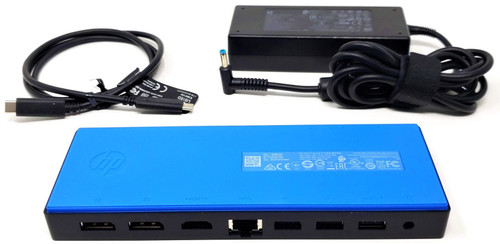
3FF69AA / L16133-001 - USB-C Dock G4 Complete Docking Station Kit with 90W Adapter
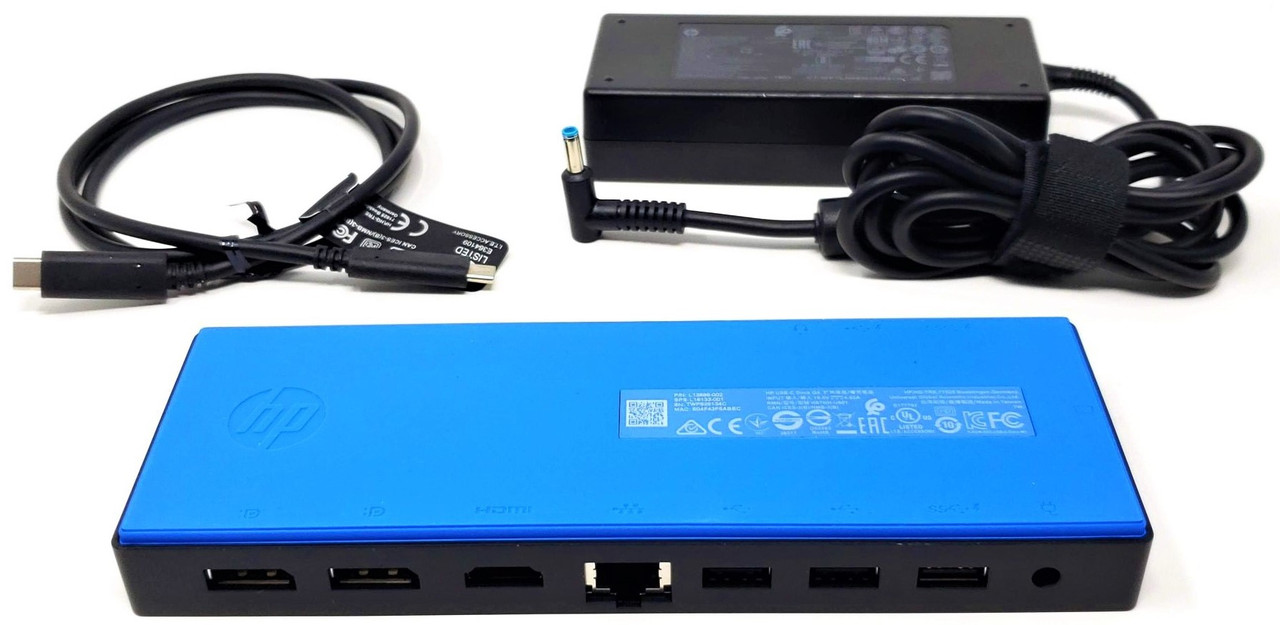
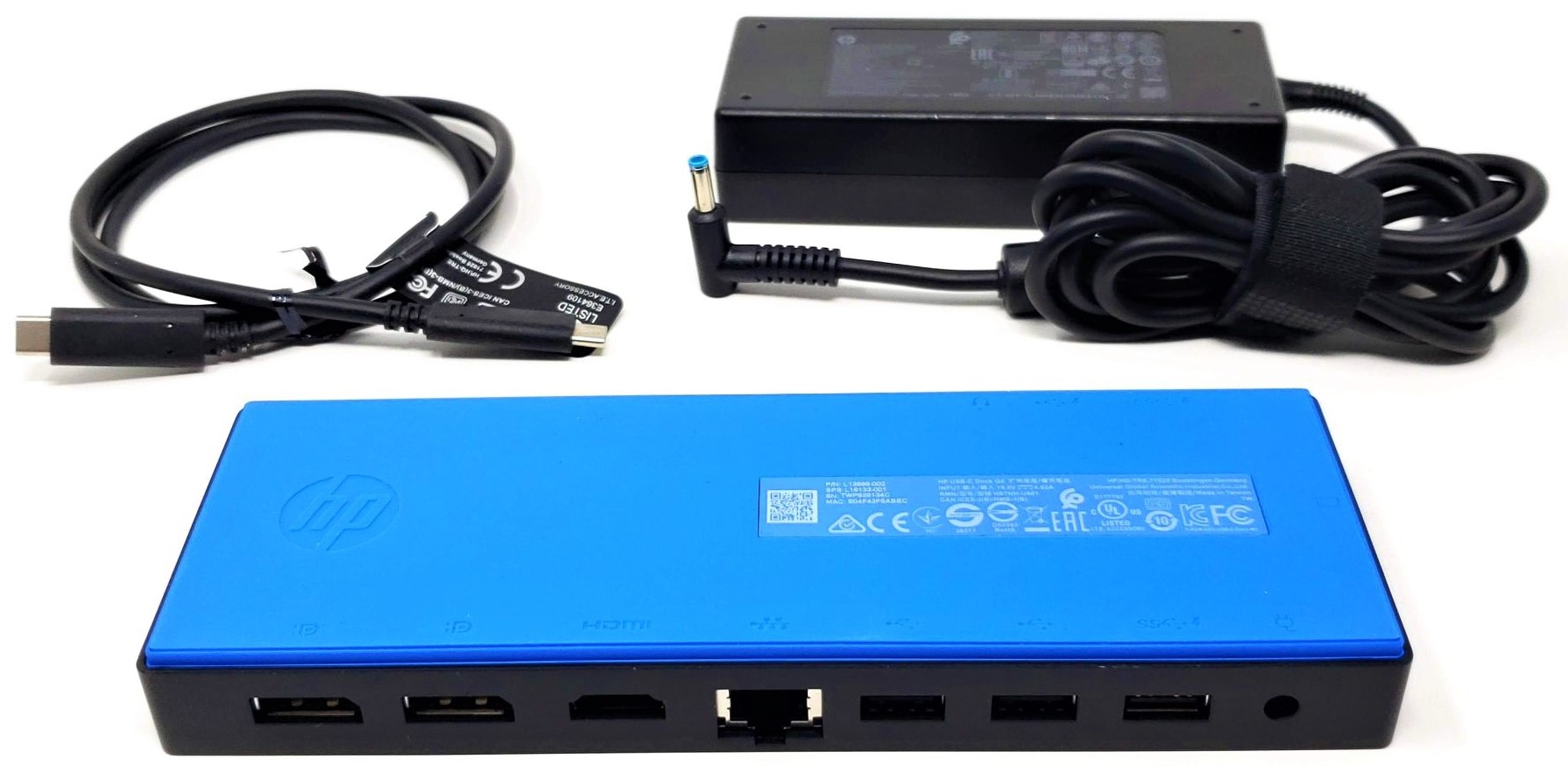
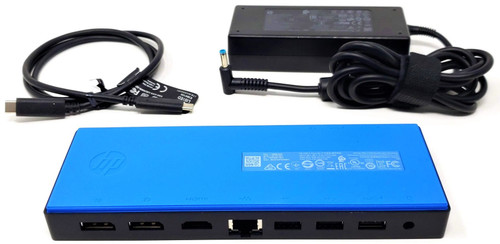
This genuine OEM USB-C Dock G4 complete kit expands a compatible notebook, detachable computer, Chromebook, or mobile workstation through one removable USB-C host cable. It adds multiple display outputs, five downstream USB ports, Gigabit Ethernet, audio connectivity, and up to 60W USB-C charging. The dock uses native USB-C DisplayPort Alternate Mode and Multi-Stream Transport. It is not a DisplayLink dock and does not require a DisplayLink video driver. This complete kit includes the USB-C dock, 90W AC adapter, grounded AC power cable, and full-featured 1-meter USB-C host cable. No other accessories are included.
Technical Specifications
- Product Series: USB-C Dock G4
- Product Type: USB-C docking station / port replicator
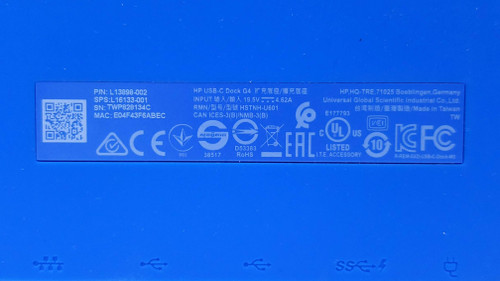
- Regulatory Model: HSTNH-U601
- Host Interface: USB-C
- Host USB Standard: USB 3.1 Gen 1 / USB 3.0, up to 5Gbps
- Host Cable: Removable USB-C-to-USB-C cable
- Display Technology: USB-C DisplayPort Alternate Mode with MST
- DisplayLink Technology: No
- Maximum External Displays: Up to three, depending on the host configuration
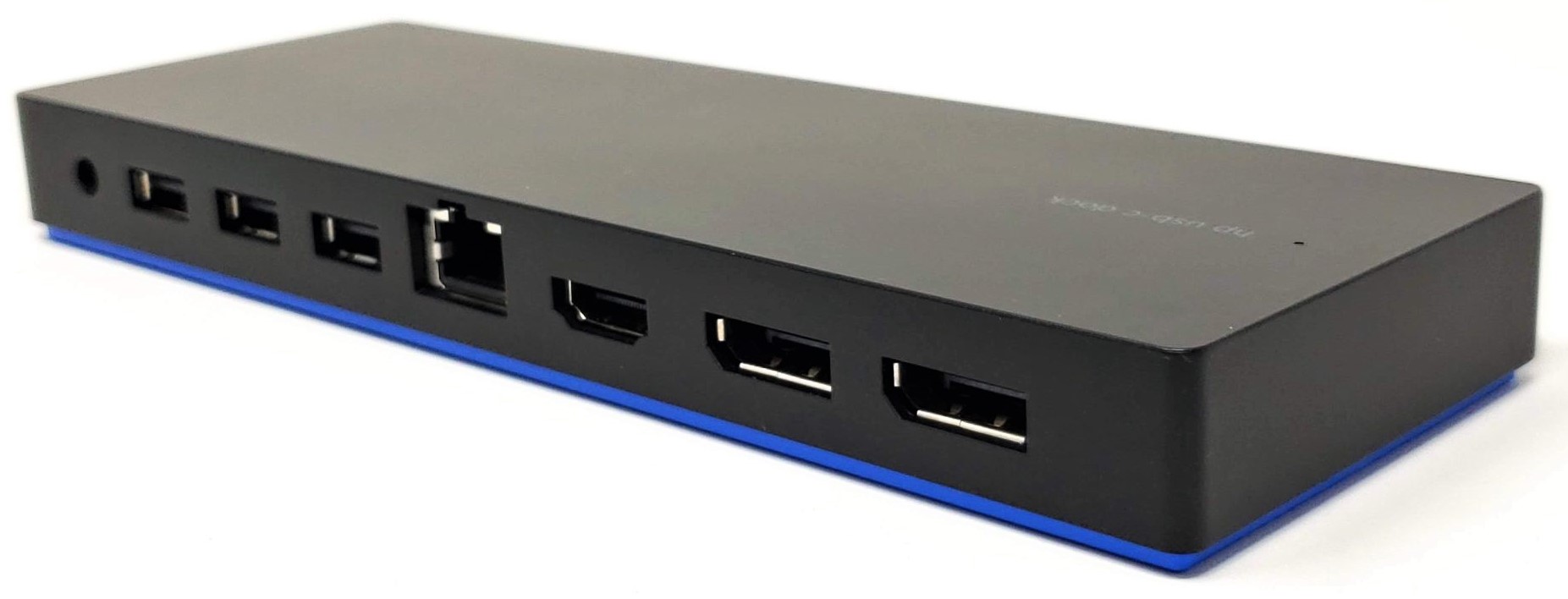
- DisplayPort Outputs: Two
- HDMI Output: One HDMI 2.0
- Downstream USB Ports: Five
- USB 3.0 Type-A Ports: Two, including one powered rear port
- USB 2.0 Type-A Ports: Two
- Downstream USB-C Port: One data-and-power port
- Network Port: RJ-45 10/100/1000 Gigabit Ethernet
- Audio Port: 3.5mm headset and microphone combination jack
- Security: Kensington-style cable-lock slot
- Power Control: Dock power and host wake button on supported computers
- Maximum Host Charging: Up to 60W through USB-C Power Delivery
- USB-C PD Profiles: 5V, 9V, 10V, 12V, 15V, and 20V at up to 3A
- Included AC Adapter: 90W
- Adapter Output: 19.5V DC, 4.62A
- Adapter DC Connector: 4.5mm outside diameter × 3.0mm inside diameter
- Adapter Connector Style: Blue-tip smart-pin barrel connector
- Adapter Plug Orientation: Right-angle molded DC plug
- Adapter Input: 100–240V AC, 50–60Hz
- Adapter AC Inlet: IEC 60320 C6
- Included Wall Cable: Grounded IEC C5 three-prong cloverleaf cable
- Dock Dimensions: Approximately 7.79 × 2.71 × 0.87 inches
- Metric Dimensions: Approximately 198 × 69 × 22mm
- Dock Weight: Approximately 0.77 lb / 0.35kg
- Operating Temperature: 32°F to 104°F / 0°C to 40°C
- Operating Humidity: Up to 90% relative humidity
- Included Items: Dock, 90W adapter, AC power cable, and USB-C host cable
Port Layout
Front Connections and Controls:
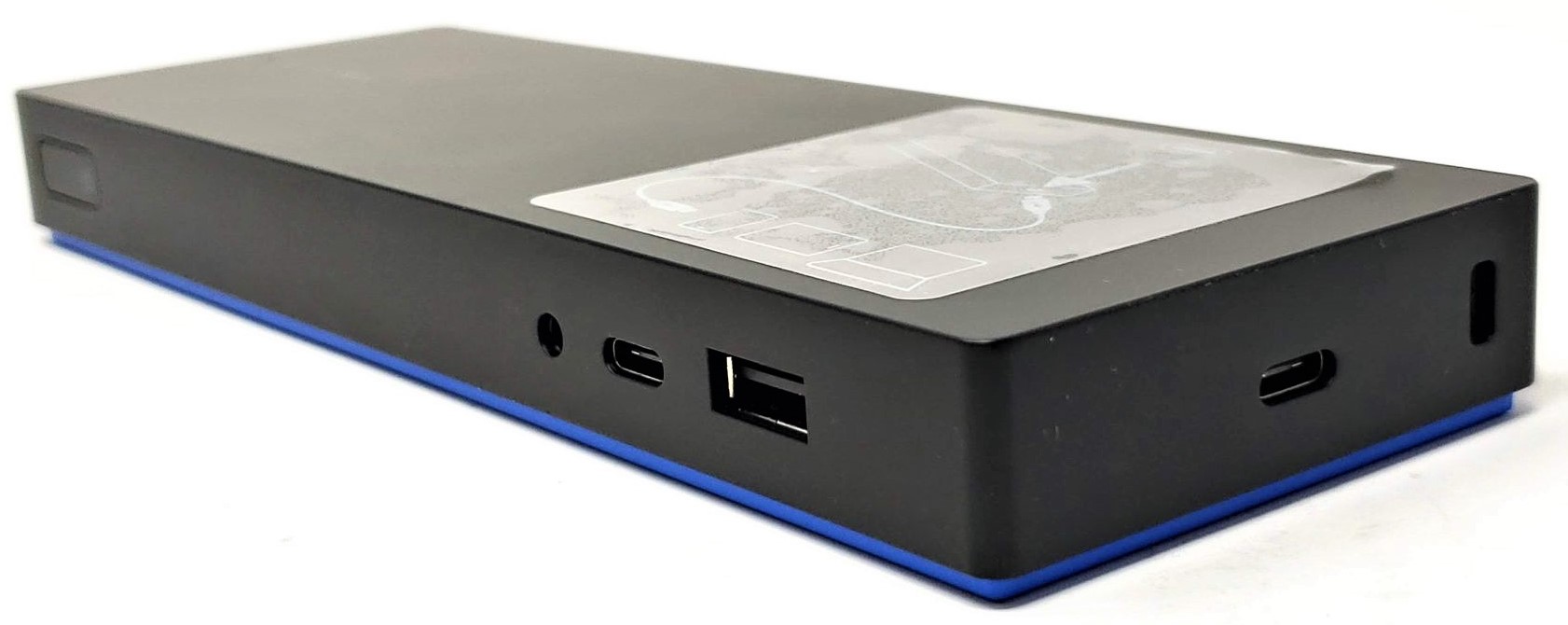
One USB 3.0 Type-A data-and-power port, one downstream USB-C data-and-power port, one 3.5mm combination audio jack, and the dock power/wake button.
Rear and Side Connections:
One smart AC adapter input, one powered USB 3.0 Type-A port, two USB 2.0 Type-A ports, one Gigabit Ethernet port, one HDMI 2.0 output, two DisplayPort outputs, one dedicated USB-C host port, and one security-cable slot.
The front USB-C connection is a downstream peripheral port. It is not a second host connection and is not an additional direct video output.
Interchangeable / Replacement Part Numbers
3FF69AA, 3FF69UT, 3FF69ET, 3FF69AA#ABA, 3FF69AA#ABB, 3FF69AA#ABU, 3FF69AA#ABJ, 3FF69AA#UUF, 3FF69AA#UUZ, 3FF69UT#ABA, 3FF69ET#ABB, 3FF69ET#ABU, L13898-001, L13898-002, L13899-001, L13899-002, L16133-001, HSTNH-U601, R1Z29A, L91736-001, 924850-001, 3FF69AAABA, 3FF69AAABB, 3FF69AAABU, 3FF69AAABJ, 3FF69AAUUF, 3FF69AAUUZ, 3FF69UTABA, 3FF69ETABB, 3FF69ETABU, L13898001, L13898002, L13899001, L13899002, L16133001, HSTNHU601, 924850001
Complete Kit Contents
✔️ USB-C Dock G4: Docking station with removable USB-C host connection
✔️ 90W AC Adapter: 710413-001 90W 19.5V 4.62A Blue-Tip AC Adapter
✔️ Grounded AC Power Cable: 213349-013 Three-Prong IEC C5 Power Cable
✔️ USB-C Host Cable: 930475-001 USB-C-to-USB-C Gen 1 3A 1.0m Cable
The included USB-C host cable supports USB data, DisplayPort Alternate Mode, and up to 3A USB-C Power Delivery.
Monitors, DisplayPort cables, HDMI cables, Ethernet cable, keyboard, mouse, headset, security lock, and other accessories are not included.
Documented External Display Support
✔️ One External Display: Up to 3840 × 1440 at 60Hz
✔️ Two External Displays: Up to 1920 × 1200 at 60Hz per display
✔️ Three External Displays: Up to 1680 × 1050 at 60Hz per display
The original product literature describes the single-display setting as “4K,” but its numerical specification is 3840 × 1440 at 60Hz, not full 3840 × 2160 UHD. The numerical resolution should be used when confirming monitor requirements.
Actual display count and resolution depend on the host computer’s graphics processor, USB-C DisplayPort implementation, BIOS settings, operating system, active internal display, graphics drivers, monitor cables, and video adapters.
The HDMI and DisplayPort connections can be used in supported combinations. Some systems may require a BIOS graphics setting or firmware update before the highest documented display configuration becomes available.
⚠️ USB-C and Charging Compatibility Notice
A USB-C connector alone does not confirm complete docking compatibility.
For full operation, the computer’s USB-C port must support:
- USB data
- DisplayPort Alternate Mode for external monitors
- USB Power Delivery input for charging
Thunderbolt 3 and later USB-C ports can operate this dock when they support the required USB-C functions. The dock operates at its documented USB-C speeds and does not add Thunderbolt functionality.
A data-only, charging-only, or USB-C port lacking DisplayPort Alternate Mode will not provide every docking feature. A USB-A-to-USB-C adapter cannot add DisplayPort video or USB-C host charging.
The included adapter is rated for 90W, but the dock supplies a maximum of 60W to the connected computer. The remaining capacity operates the dock and attached peripherals.
Computers originally supplied with adapters rated above 60W may use the dock for displays, USB peripherals, networking, and audio while still requiring their original higher-wattage adapter for reliable charging and full performance.
Enterprise Network and Management Features
On supported computers with the appropriate BIOS and firmware, the dock can support:
- PXE network boot
- Wake-on-LAN from supported power states
- MAC-address pass-through
- Automatic WLAN-to-LAN switching
- Dock power-button and host wake control
These functions depend on the computer, BIOS, operating system, firmware, security settings, and network environment. The dock power button is not supported on documented Chromebook configurations.
Software, Manuals, and Support Resources
Official Software, Drivers, and Dock Firmware
Official Setup and User Guides
Official USB-C Dock G4 Specifications
Official Troubleshooting and Support
Official Dock Solutions QuickSpecs
Original USB-C Dock G4 Data Sheet — Archived Copy
Update the dock firmware before troubleshooting intermittent display wake, Ethernet, audio, charging, or power-management behavior.
⚠️ High-Power System Notice
ZBook 15 G6, ZBook 17 G6, ZBook Studio G5, ZBook Studio x360 G5, EliteBook 1050 G1, Spectre x360 15-ch006tx, and other systems originally requiring more than 60W may need their original AC adapter connected in addition to the dock. Without the higher-wattage system adapter, the computer may display a low-power warning, reduce performance, charge slowly, fail to charge, or discharge during demanding workloads.
☑️ Key Features
☑️ Complete four-piece docking kit
☑️ One-cable USB-C data, display, network, audio, and charging connection
☑️ Up to 60W USB-C host charging
☑️ Supports up to three external displays
☑️ Two DisplayPort outputs and one HDMI 2.0 output
☑️ Five downstream USB peripheral ports
☑️ Gigabit Ethernet network connection
☑️ Combination headset and microphone audio jack
☑️ Native DisplayPort Alternate Mode and MST operation
☑️ Removable and replaceable full-featured USB-C host cable
☑️ 90W 19.5V blue-tip smart-pin AC adapter included
☑️ Grounded three-prong AC power cable included
☑️ PXE, Wake-on-LAN, MAC pass-through, and WLAN-to-LAN switching on supported platforms
☑️ Kensington-style security-cable slot
⚙️ Fit Notes
- Confirm that the computer’s USB-C port supports DisplayPort Alternate Mode before purchasing for external-monitor use.
- Confirm that the computer supports USB-C Power Delivery input before relying on the dock for charging.
- The dock provides up to 60W to the computer. The included adapter’s 90W rating does not indicate 90W host charging.
- Use the included
930475-001 host cable or a full-featured USB-C replacement supporting data, DisplayPort Alternate Mode, and 3A Power Delivery. - An ordinary USB-C charging cable may not support video, Ethernet, or full USB data operation.
- The front USB-C port is for downstream peripherals. Do not connect the host computer to the front peripheral port.
- This dock uses USB-C DisplayPort Alternate Mode and MST. It is not a DisplayLink dock.
- USB-A adapters do not provide this dock’s external-display or host-charging functions.
- macOS systems may mirror multiple external displays instead of providing independent extended desktops because macOS does not provide normal DisplayPort MST extended-display support.
- High-power mobile workstations may require both the dock and the computer’s original AC adapter.
- Do not substitute
609940-001 for the included adapter. That adapter uses the larger 7.4mm × 5.0mm connector and does not fit this dock. - The correct included dock adapter is
710413-001, using a 4.5mm × 3.0mm blue smart-pin connector. - The dock power button and advanced network-management functions require corresponding host BIOS support.
- Update the host BIOS, graphics drivers, network drivers, and dock firmware before troubleshooting.
- Display resolution and monitor count can change when the computer’s internal display remains active.
- This kit includes only the dock, 90W adapter, AC power cable, and USB-C host cable.
✅ Confirmed Compatibility
Full docking functionality requires a USB-C port supporting USB data, DisplayPort Alternate Mode, and USB Power Delivery. Compatibility can vary within a model family according to the installed USB-C controller, BIOS, graphics configuration, and original power requirements.
✔️ ProBook 400 Series: ProBook 430 G5, 430 G6, 440 G5, 440 G6, 440 G7, 445 G6, 450 G5, 450 G6, 450 G7, 455 G5, 455 G6, 455 G7, 470 G5
✔️ ProBook 600 Series: ProBook 640 G4, 640 G5, 645 G4, 650 G4, 650 G5
✔️ ProBook x360 Series: ProBook x360 440 G1
✔️ EliteBook 700 Series: EliteBook 735 G5, 735 G6, 745 G5, 745 G6, 755 G5
✔️ EliteBook 800 Series: EliteBook 830 G5, 830 G6, 840 G5, 840 G6, 840r G4, 850 G5, 850 G6
✔️ EliteBook 1000 and Folio Series: EliteBook 1030 G1, EliteBook 1040 G4, EliteBook 1050 G1, EliteBook Folio G1
✔️ EliteBook x360 Series: EliteBook x360 1020 G2, 1030 G2, 1030 G3, 1030 G4, 1040 G5, 1040 G6, 830 G5, 830 G6
✔️ Elite and Pro Detachable Series: Elite x2 1012 G1, Elite x2 1012 G2, Elite x2 1013 G3, Elite x2 1013 G4, Pro x2 612 G2
✔️ ZBook Mobile Workstations: ZBook 14u G5, 14u G6, 15u G5, 15u G6, ZBook 15 G6, ZBook 17 G6, ZBook Studio G5, ZBook Studio x360 G5
✔️ Chromebook Series: Chromebook 11 G6 Education Edition, Chromebook 11 G7 Education Edition, Chromebook 13 G1, Chromebook 14 G5, Chromebook 14A G5, Chromebook x360 11 G1 Education Edition, Chromebook x360 11 G2 Education Edition, Chromebook x360 14 G1
✔️ Additional Documented Systems: Elite Dragonfly first generation, Mobile Thin Client mt45, Spectre Pro 13 G1, Spectre x360 15-ch006tx