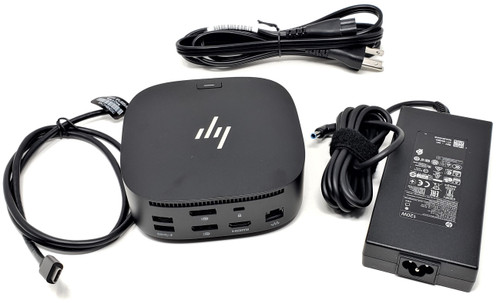
HP USB-C Dock G5 Docking Station Kit with 120W AC Adapter for ProBook EliteBook ZBook and Chromebook
Expand a compatible laptop into a full desktop workspace with the HP USB-C Dock G5. This compact docking station is designed for business and workstation environments that need a clean one-cable setup for displays, USB accessories, wired networking, audio, and laptop charging.
The dock connects to supported laptops through a single USB-C cable and can power the host system while also adding multiple ports for monitors, keyboard, mouse, storage devices, headset, and Ethernet. It is commonly used with HP ProBook, EliteBook, ZBook, Chromebook, and select thin client platforms, while also working with many non-HP USB-C and Thunderbolt laptops that support the required standards.
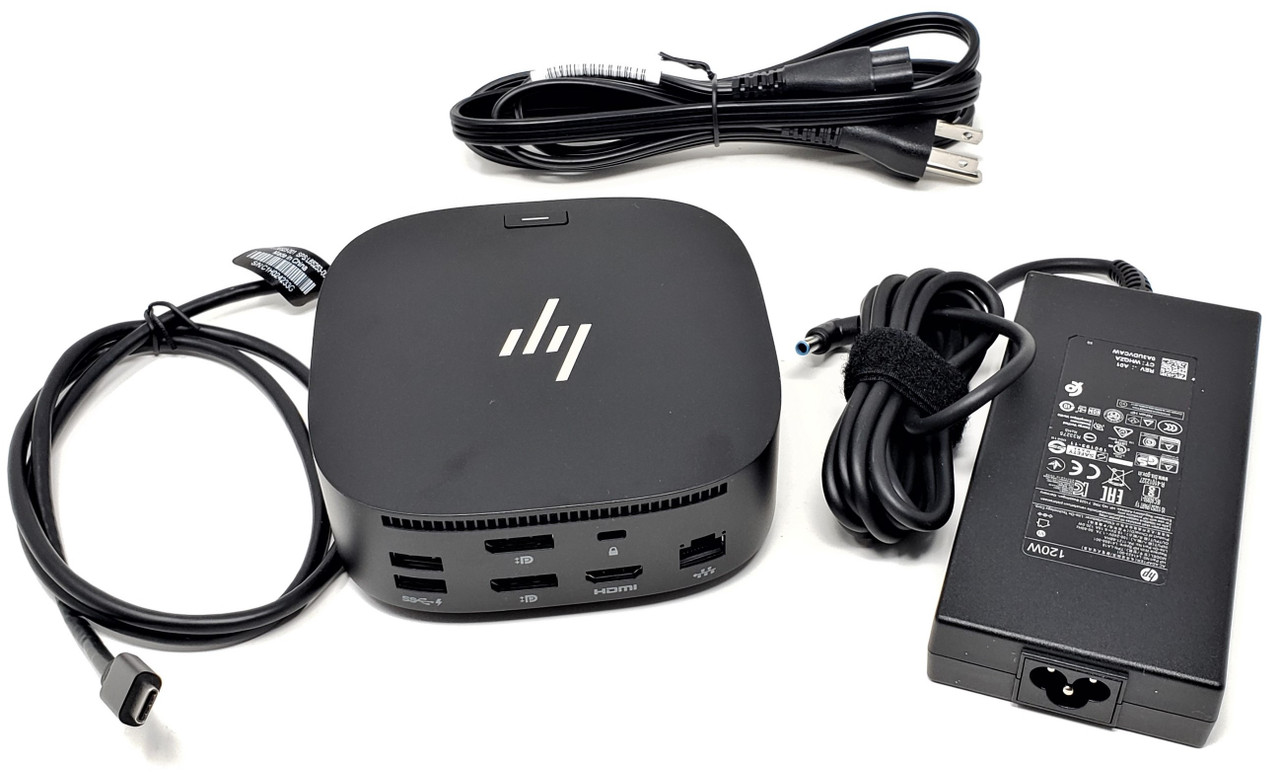
This kit includes the dock itself, USB-C connection cable, 120W AC adapter, and related replacement part references commonly associated with the G5 dock platform.
Technical Specifications
- Dock model: HP USB-C Dock G5
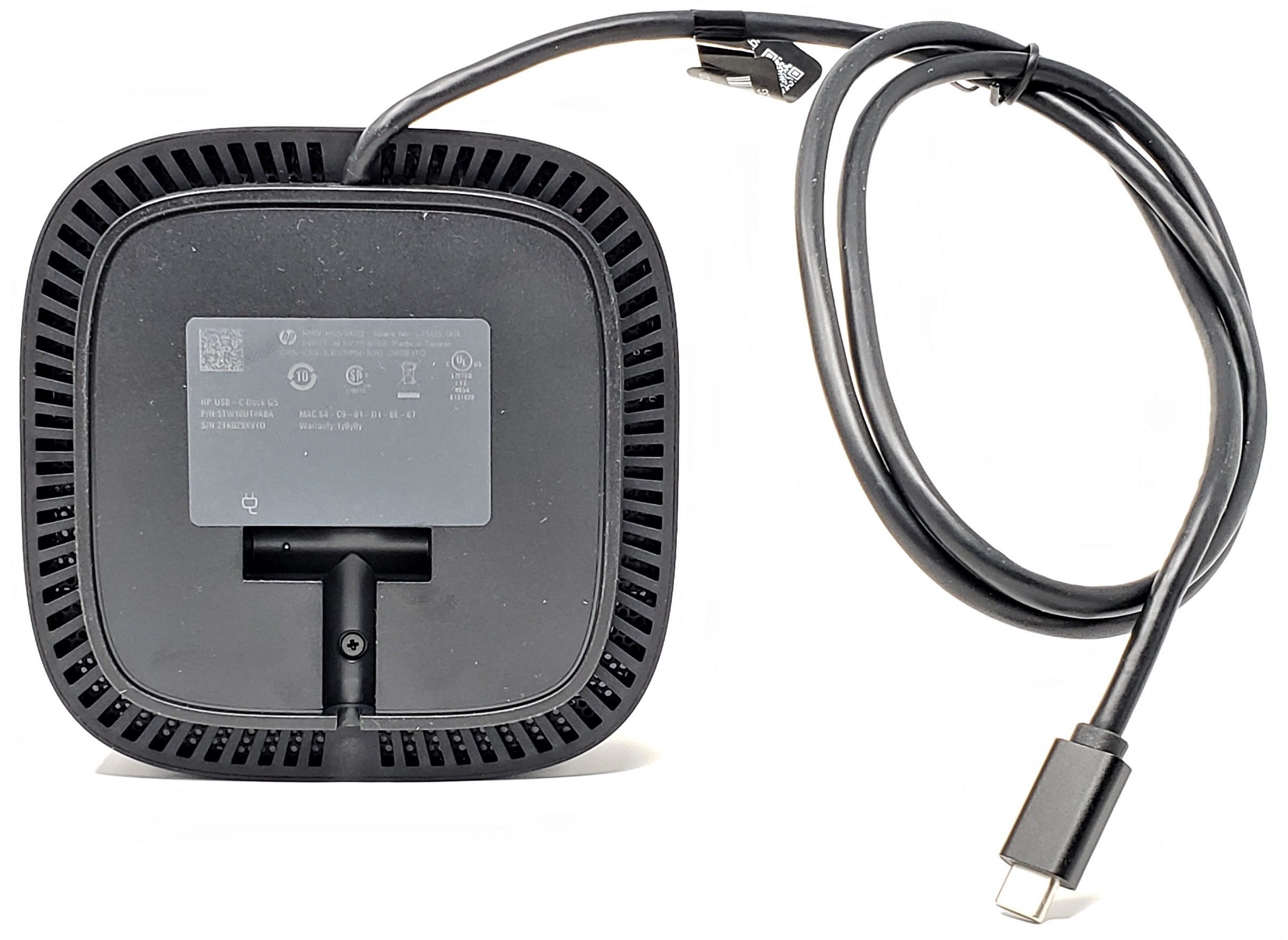
- Main dock part number: L75125-001
- Alternate dock assembly number: L64086-001
- Regulatory model: HSN-IX02
- Dock type: USB-C docking station
- Host connection: Integrated USB-C cable
- Included power adapter: 120W AC adapter
- Host charging support: Up to 100W to supported laptops
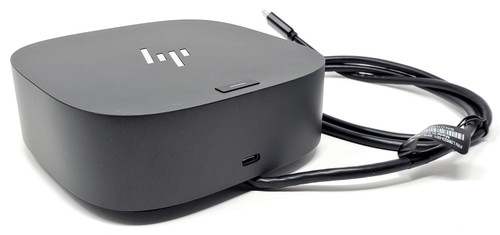
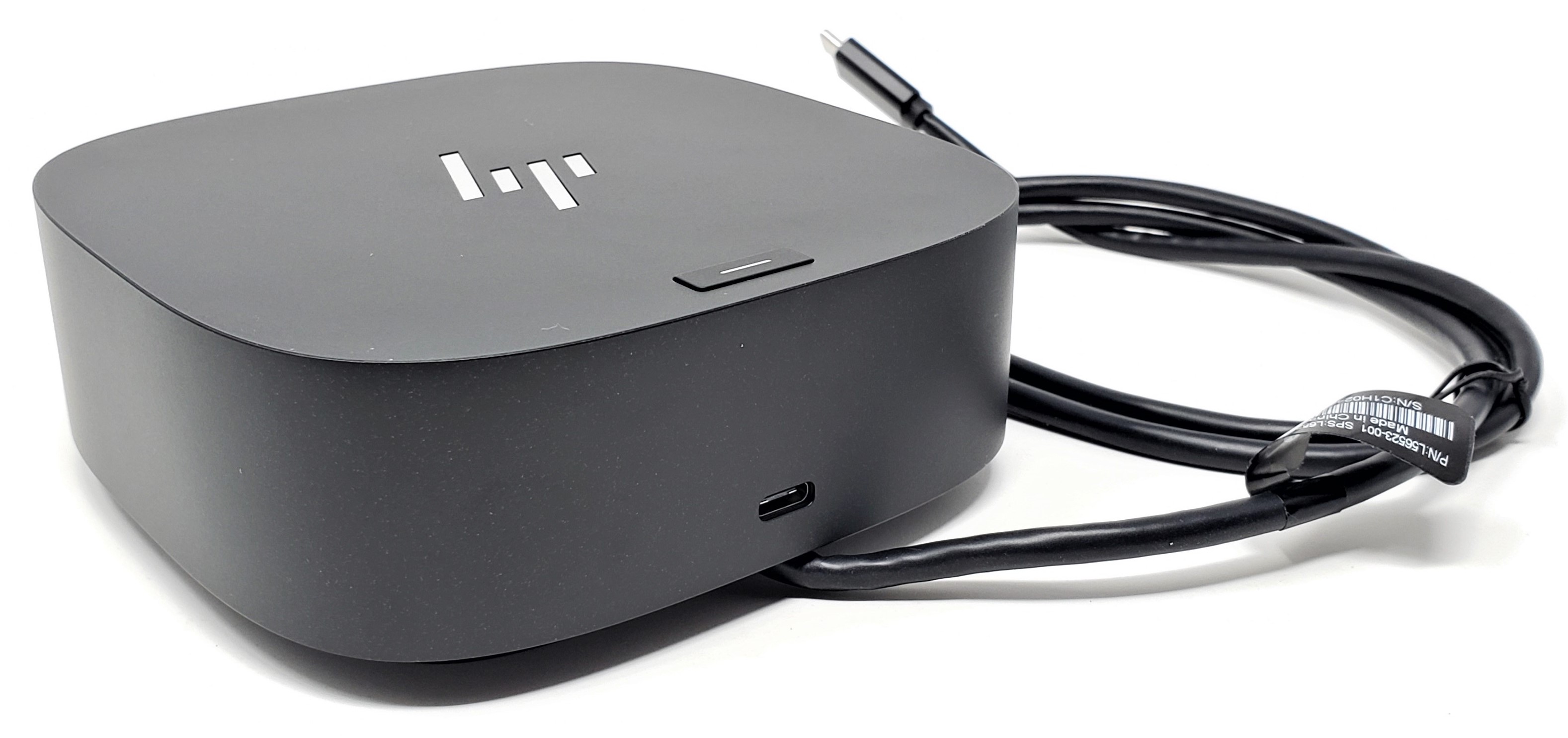
- Front USB-C port: Data plus power out up to 15W
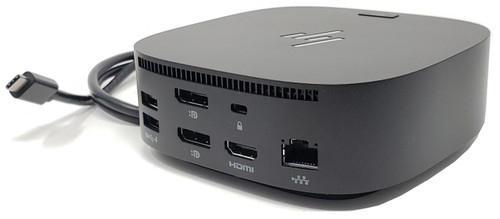
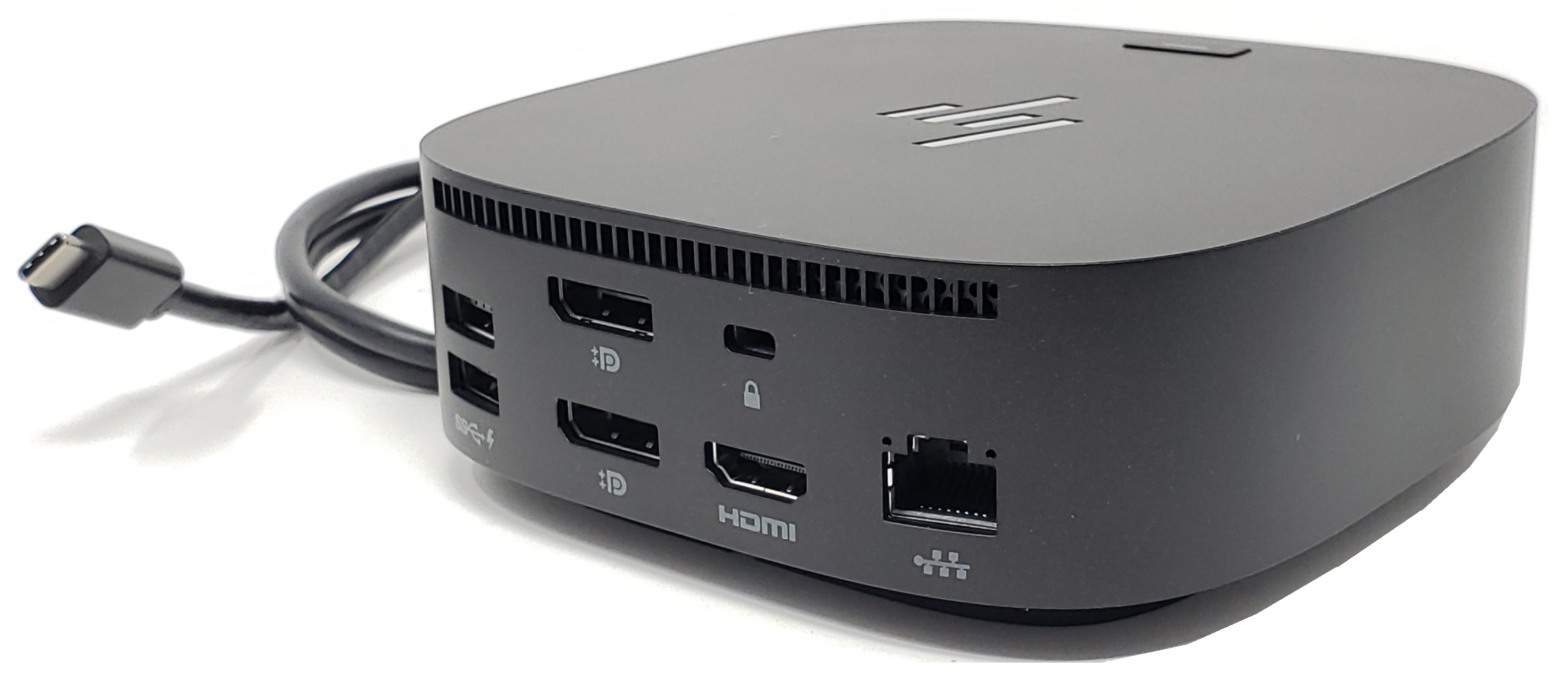
- USB ports: 4 x USB 3.0 charging ports, 1 x front USB-C downstream port
- Video outputs: 2 x DisplayPort, 1 x HDMI 2.0
- Network port: 1 x RJ45 Gigabit Ethernet
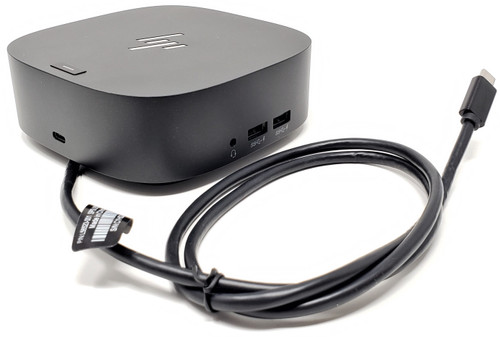
- Audio port: 1 x 3.5mm combo audio jack
- Security: Standard lock slot
- Approximate dimensions: 4.8 x 4.8 x 1.77 inches
- Approximate weight: 1.65 lb
- Color: Black
Supported Operating Systems
- Windows 11
- Windows 10
- ChromeOS v92.0.4515.157
- ChromeOS M92 (HP notebooks only)
- ChromeOS M93 (HP notebooks only)
- ThinPro 8.0
- Windows 10 IoT Enterprise LTSC 2021
- macOS Monterey v12.0
- macOS Big Sur 11.5.2
What's Included
- USB-C G5 Dock - L75125-001
- USB-C to USB-C Cable - L56523-001, L65253-001
- 120W Blue Tip AC Adapter - L41856-001 or alternate compatible AC adapter
- Power Cord Cable for AC Adapter - L85744-701
- Bottom Cover for G5 Dock - L65256-001, 6070B15880002
Interchangeable / Replacement Part Numbers
L61609-001, 5TW10AA#AB2, 5TW10UT#ABA, 5TW10AA#ABA, 5YK41AV#ABA, 5YK41AV#AB0, L75125-001, L64086-001, 5YH26AV#ABA, 5TW10AA#ABB, HSN-IX02, 5YH27AV#ABA
✅ Confirmed Compatibility
Please note that the following list is not exhaustive. Compatibility depends on your system's specific configuration. It's essential to verify compatibility with your system or enclosure manufacturer prior to installation.
✔️ HP ProBook 400 Series: ProBook 430 G5, ProBook 430 G6, ProBook 430 G7, ProBook 440 G5, ProBook 440 G6, ProBook 440 G7, ProBook 440 G9, ProBook 440 G11, ProBook 445 G6, ProBook 445R G6, ProBook 445 G9, ProBook 450 G5, ProBook 450 G6, ProBook 450 G7, ProBook 450 G9, ProBook 450 G10, ProBook 455 G5, ProBook 455 G6, ProBook 455R G6, ProBook 455 G9, ProBook 455 G10, ProBook 465 G11, ProBook 470 G5
✔️ HP ProBook 600 Series: ProBook x360 440 G1, ProBook 640 G4, ProBook 640 G5, ProBook 640 G9, ProBook 640 G10, ProBook 640 G11, ProBook 645 G4, ProBook 650 G4, ProBook 650 G5
✔️ HP EliteBook 600 Series: EliteBook 630 G11, EliteBook 635 Aero G11, EliteBook 640 G9, EliteBook 640 G10, EliteBook 640 G11, EliteBook 645 G11, EliteBook 650 G9, EliteBook 650 G10, EliteBook 655 G10, EliteBook 660 G11, EliteBook 665 G11
✔️ HP EliteBook 700 / 800 / x360 Series: EliteBook 735 G5, EliteBook 735 G6, EliteBook 745 G5, EliteBook 745 G6, EliteBook 755 G5, EliteBook 830 G5, EliteBook 830 G6, EliteBook 830 G9, EliteBook 830 G10, EliteBook x360 830 G5, EliteBook x360 830 G6, Elite x360 830 G9, EliteBook 835 G10, EliteBook 836 G6, EliteBook 840 G5, EliteBook 840 G5 Healthcare Edition, EliteBook 840 G6, EliteBook 840 G6 Healthcare Edition, EliteBook 840r G4, EliteBook 840 G9, EliteBook 840 G10, EliteBook 840 G11, EliteBook 845 G10, EliteBook 845 G11, EliteBook 850 G5, EliteBook 850 G6, EliteBook 865 G10, EliteBook 865 G11, EliteBook x360 1020 G2, EliteBook x360 1030 G2, EliteBook x360 1030 G3, EliteBook x360 1030 G4, EliteBook x360 1040 G5, EliteBook x360 1040 G6, EliteBook 1040 G11, EliteBook 1050 G1
✔️ HP Dragonfly / Elite x2 / Pro x2 Series: Elite Dragonfly, Dragonfly G4, Elite x2 1012 G2, Elite x2 G4, Pro x2 612 G2
✔️ HP ZBook Mobile Workstations: ZBook 14u G5, ZBook 14u G6, ZBook 15u G5, ZBook 15u G6, ZBook 15 G5, ZBook 15 G6, ZBook 17 G5, ZBook 17 G6, ZBook Studio G5, ZBook Studio x360 G5, ZBook Studio 16 G9, ZBook x2 G4, ZBook Firefly 14 G9, ZBook Firefly 14 G10, ZBook Firefly 14 G11, ZBook Firefly 14 G10 A, ZBook Firefly 14 G11 A, ZBook Firefly 16 G9, ZBook Firefly 16 G10, ZBook Firefly 16 G11, ZBook Power 15.6 G9, ZBook Power G10, ZBook Power 16 G11
✔️ HP Chromebook / Thin Client Series: Chromebook x360 14 G1, Chromebook x360 11 G2 EE, Chromebook 14A G5, Elite Dragonfly Chromebook, Elite c640 G3 Chromebook, Pro mt440 G3 Mobile Thin Client, Elite mt645 G7 Mobile Thin Client
✔️ HP ZHAN Series: ZHAN 66 Pro 14 G3, ZHAN 66 Pro 15 G3
☑️ Key Features
- ☑️ Single-cable docking solution for power, video, USB accessories, audio, and wired networking
- ☑️ Up to 100W charging to supported USB-C laptops
- ☑️ Supports up to 3 external monitors on supported systems
- ☑️ Includes 2 DisplayPort outputs and 1 HDMI 2.0 output for flexible monitor connectivity
- ☑️ Compact low-profile design fits easily on office desks and workstation setups
- ☑️ Integrated RJ45 Ethernet port for stable wired network connectivity
- ☑️ Multiple USB charging ports for keyboard, mouse, storage devices, phones, and accessories
- ☑️ Front USB-C downstream port with data and up to 15W power out
- ☑️ Broad compatibility across many HP business notebooks, mobile workstations, Chromebooks, and thin clients
- ☑️ Suitable replacement dock for office, remote work, hoteling, and hot-desk environments
⚙️ Fit Notes
- A compatible host system must have a USB-C port that supports Power Delivery and DisplayPort Alt Mode, or Thunderbolt, for full dock functionality
- Many non-HP USB-C and Thunderbolt laptops may also work, but charging performance and monitor support can vary by system
- Monitor support depends on the laptop GPU and USB-C implementation; some systems may support fewer displays or lower maximum resolution
- macOS support may be limited for certain dock functions such as Ethernet and audio depending on the host configuration
- If a laptop has a data-only USB-C port, the dock may not provide external display output or host charging
- Common kit contents may include the dock, USB-C cable, 120W AC adapter, power cord, and bottom cover depending on the exact bundle configuration
Display and Video Support
For hosts that support DisplayPort 1.4 with Display Stream Compression:
3x FHD @ 60 Hz
3x QHD @ 60 Hz
3x 4K @ 60 Hz
For hosts that support DisplayPort 1.3/1.4:
3x FHD @ 60 Hz
3x QHD @ 60 Hz
2x 4K @ 60 Hz
For hosts that support DisplayPort 1.2:
3x FHD @ 60 Hz
2x QHD @ 60 Hz
1x 4K @ 60 Hz
Important Display Notes
- Actual display support depends on the laptop’s graphics processor, USB-C or Thunderbolt implementation, and system firmware
- A compatible host must support DisplayPort Alt Mode over USB-C for external monitor functionality
- Triple 4K setups require a host system that supports DisplayPort 1.4 + DSC
- Systems without DSC support may still run multiple displays, but at lower maximum resolutions depending on host bandwidth
Product Support
Software and Drivers for G5 Dock
Product Specifications
Product Manuals
User Guide
Quick Setup Guide
USB-C Dock G5 Data Sheet
Troubleshooting