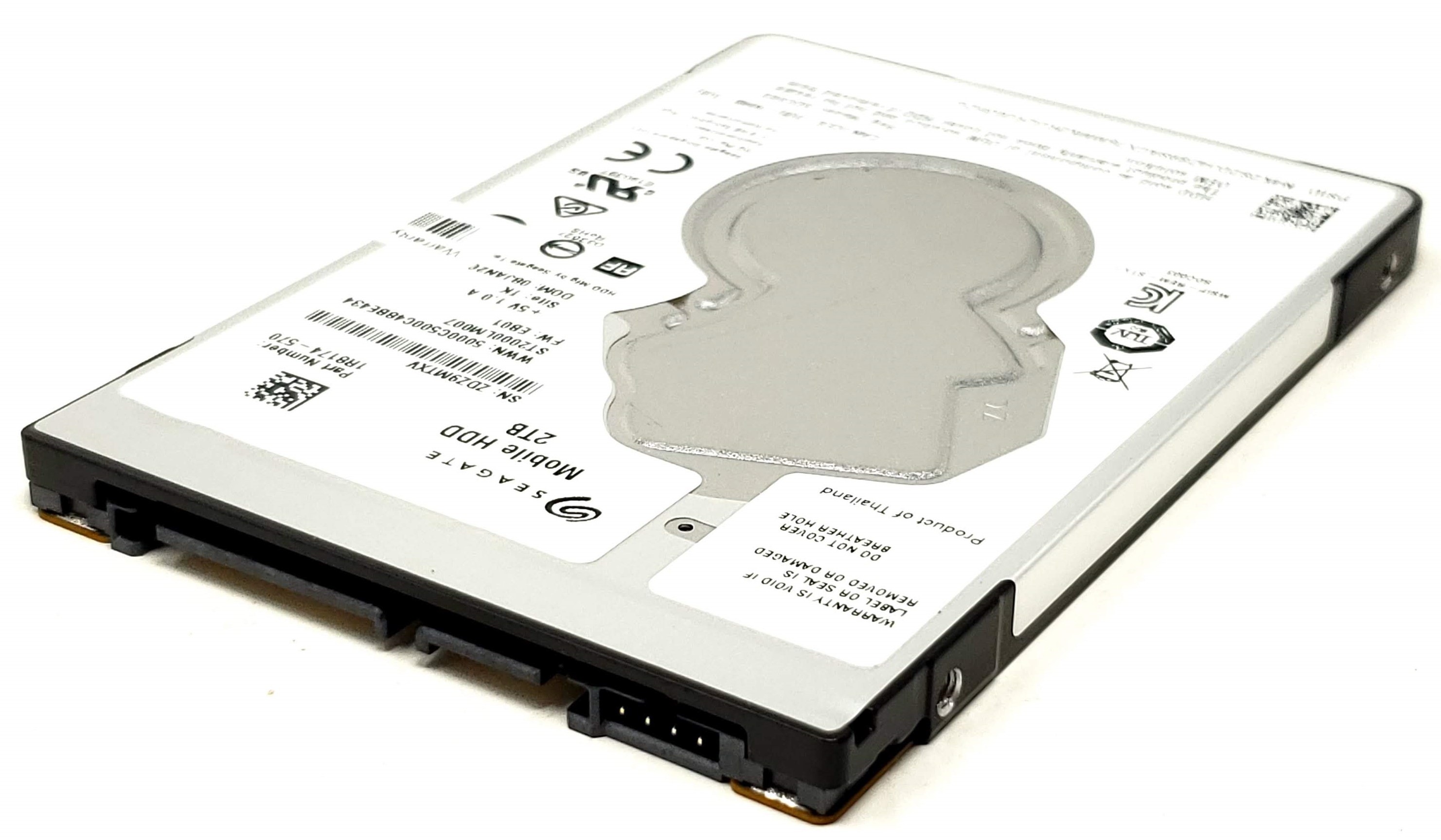
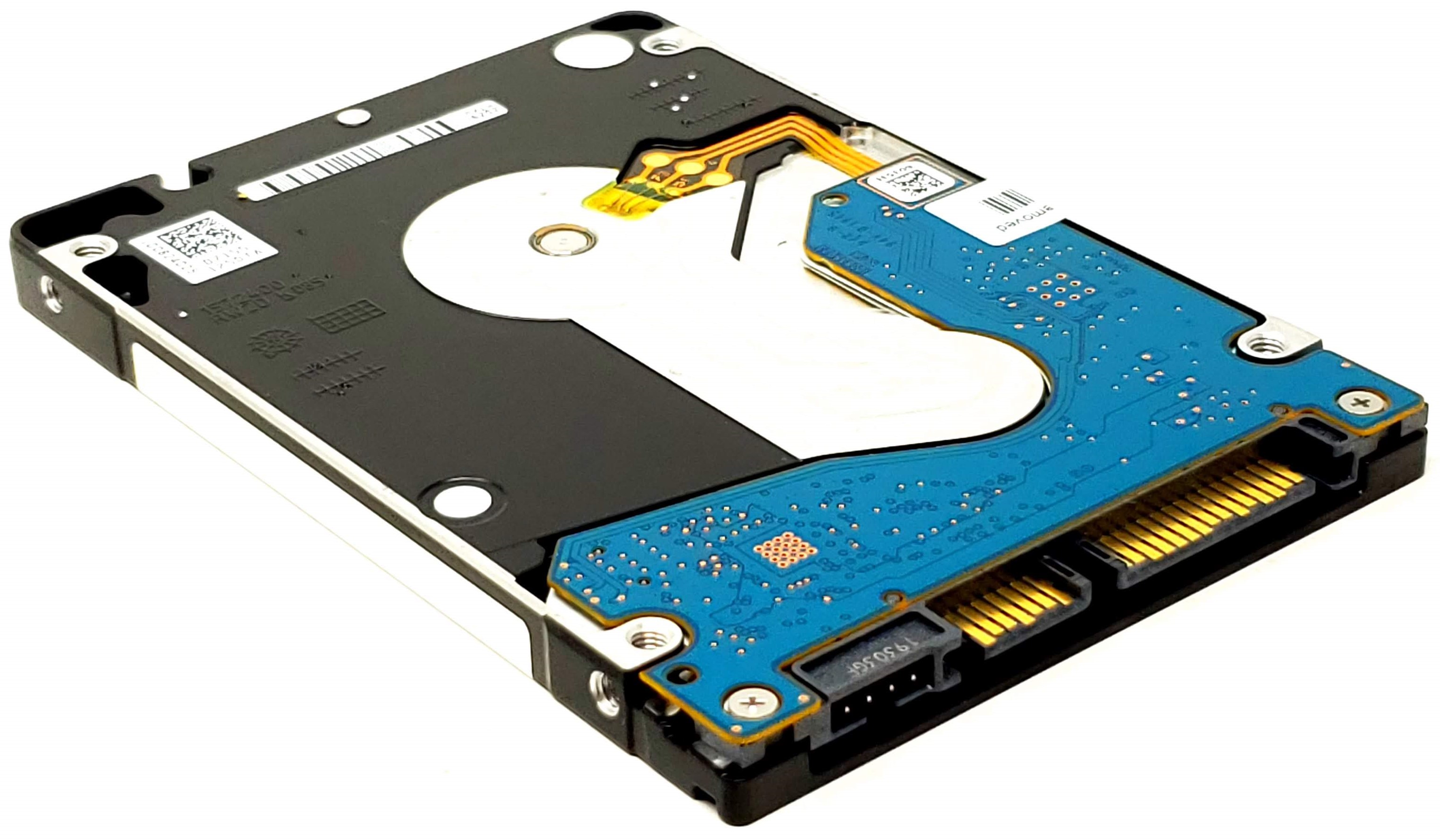
2TB 5.4K RPM 128MB SATA III 7mm 2.5-Inch Hard Drive HDD for Laptop Desktop PC Mac
Upgrade or replace your existing storage with this 2TB 2.5-inch SATA hard drive, designed for systems that use a standard 7mm-thick 2.5-inch SATA drive. This drive family is commonly used as a direct replacement for many 320GB, 500GB, 750GB, and 1TB 2.5-inch SATA hard drives, and it is also a strong option for adding large-capacity secondary storage in compatible laptops, desktops, all-in-ones, and external enclosures.
With 2TB of storage capacity, 5400 RPM operation, SATA III 6.0Gb/s interface support, and a slim 7mm profile, this drive is ideal for notebook upgrades, desktop storage expansion, media libraries, backups, and general-purpose data storage. It is especially useful in systems that originally shipped with smaller-capacity 2.5-inch SATA hard drives and can accept a standard 7mm SATA drive.
Technical Specifications
- Capacity: 2TB / 2,000GB
- Spindle Speed: 5400 RPM
- Cache: 128MB
- Interface: SATA III / 6.0Gb/s
- Form Factor: 2.5-Inch
- Drive Type: Hard Disk Drive (HDD)
- Thickness: 7mm Thin
- Connector Type: Standard 22-Pin SATA
- Installation Type: Internal 2.5-inch bay-mounted storage drive
- Backward Compatibility: SATA III compatible with SATA II and SATA I systems
- Typical Use: Laptop storage upgrade, desktop storage upgrade, secondary storage, external enclosure use
Interchangeable / Replacement Part Numbers
- WD20SPZX, WD20SPZX-22UA7T0, WD20SPZX-00CRAT0, WD20SPZX-60UA7T0, WD20SPZX-00UA7T0, WD20SPZX-22CRAT0, WD20SPZX-11CRAT0, WD20SPZX-11UA7T0 ,ST2000LM007, ST2000LM010, ST2000LM015, 2E8174-500, 2E8174-501, 1RA174-500, 912487-855, 912487-856, 912487-857, 929167-850, L32157-001, 7C9DV, 5H20M37521, 00HM754, 00HM755, 00HM756, 4XB0P21128
✅ Confirmed Compatibility
Please note that the following list is not exhaustive. Compatibility depends on your system's specific configuration. It's essential to verify compatibility with your system or enclosure manufacturer prior to installation.
✔️ General 2.5-Inch SATA Drive Bays: Direct replacement for many 320GB, 500GB, 750GB, and 1TB 2.5-inch SATA hard drives, and compatible as an upgrade or secondary drive in systems that accept a 7mm-thick 2.5-inch SATA drive
✔️ HP ProBook Series: 430 G1-G5, 440 G1-G5, 445 G1-G5, 450 G1-G5, 455 G1-G5, 470 G1-G5, selected configurations with 2.5-inch SATA bay
✔️ HP EliteBook Series: 820 G1-G4, 840 G1-G5, 850 G1-G5, 745 G2-G5, 755 G2-G5, 725 G2-G5, 1040 selected older SATA configurations
✔️ HP Pavilion Notebook Series: Pavilion 14, 15, 17, 14-ab, 15-au, 15-bs, 15-bw, 15-cd, 15-da, 17-ar, 17-bs, selected models with internal 2.5-inch SATA support
✔️ HP Envy and Omen Series: Envy 15, Envy 17, selected Omen 15 models, Pavilion Gaming 15 selected models with 2.5-inch SATA bay
✔️ HP ZBook Mobile Workstations: ZBook 14, 15, 15 G2, 15 G3, 17, 17 G2, 17 G3, selected configurations with 2.5-inch SATA storage support or secondary drive bay
✔️ HP Desktop and All-in-One Systems: EliteDesk 800, ProDesk 400, ProDesk 600, EliteOne, ProOne, selected Slim Desktop, Tower, SFF, and AIO systems using 2.5-inch SATA storage brackets or caddies
✔️ Dell Latitude Series: E5420, E5430, E5440, E5470, E5520, E5530, E5540, E5570, E6230, E6330, E6430, E6440, E6530, E6540, 3340, 3350, 3450, 3470, 3480, 3490, 3550, 3570, 3580, 3590, 5280 selected SATA configurations, 5480, 5490, 5580, 5590 selected SATA configurations
✔️ Dell Inspiron Series: Inspiron 14, 15, 17, 3000, 5000, 7000, 3451, 3458, 3558, 3559, 3565, 3567, 5551, 5558, 5559, 5566, 5567, 5755, 5758, 5759, selected models with 2.5-inch SATA bay
✔️ Dell Vostro Series: Vostro 14 3000, 15 3000, 15 5000, 3458, 3558, 3559, 5459, 5468, 5568, selected configurations with 2.5-inch SATA drive support
✔️ Dell Precision Mobile Workstations: M4700, M4800, M6600, M6700, M6800, 3510, 3520, 7510 selected storage configurations, 7520 selected storage configurations
✔️ Dell Desktop Systems: OptiPlex 3020, 3040, 3050, 5040, 5050, 7020, 7040, 7050, 9020, 3046, 5046, 7046 selected SFF, MT, and Tower systems using 2.5-inch drive bracket support
✔️ Dell Alienware Systems: Alienware 14, 15, 17, 17 R2, 17 R3, Alpha selected models, and selected gaming notebooks or desktops with internal 2.5-inch SATA drive bay
✔️ Lenovo ThinkPad T Series: T430, T440p, T450, T460, T470, T480, T540p, T550, T560, T570, T580, selected systems with 2.5-inch SATA bay or compatible storage caddy
✔️ Lenovo ThinkPad L Series: L430, L440, L450, L460, L470, L480, L530, L540, L560, L570, L580
✔️ Lenovo ThinkPad E Series: E430, E431, E440, E450, E460, E470, E480, E530, E540, E550, E560, E570, E580
✔️ Lenovo ThinkPad Workstation Series: W530, W540, W541, P50s, P51s, P52s, selected P50 and P51 configurations with 2.5-inch SATA support
✔️ Lenovo IdeaPad Series: 110, 120S selected SATA versions, 300, 310, 320, 330, 500, 510, 520, 700, 710S selected SATA versions, 720, 720S selected SATA versions, selected consumer models with 2.5-inch SATA bay
✔️ Lenovo Desktop Systems: ThinkCentre M73, M83, M93, M700, M710, M800, M900, selected Tiny / SFF / Tower systems using 2.5-inch SATA mounting brackets, ThinkStation P300, P310, P320, P500 selected secondary storage configurations
✔️ ASUS VivoBook Series: X540, X541, X550, X555, X556, X570 selected models, K540, K550, K555, K556, K570 selected models, R510, R540, R556 selected models with 2.5-inch SATA bay
✔️ ASUS Gaming and TUF Series: FX503, FX504, FX505 selected SATA configurations, FX553, FX705 selected SATA configurations, TUF Gaming FX505, FX506 selected dual-storage or SATA-bay configurations
✔️ ASUS ROG Series: GL552, GL553, GL702, GL703, G531 selected dual-storage versions, G731 selected dual-storage versions, selected GU and GX models with 2.5-inch SATA bay or secondary 2.5-inch bracket
✔️ ASUS Desktop and Mini PC Systems: VivoPC, Mini PC, selected compact desktops and all-in-one systems using 2.5-inch SATA storage trays or brackets
✔️ Apple MacBook Pro: 13-inch Unibody Mid 2009 to Mid 2012, 15-inch Unibody Mid 2009 to Mid 2012 non-Retina, 17-inch Unibody 2009 to Late 2011 models using internal Serial ATA hard drives
✔️ Apple Mac mini: Mid 2010, Mid 2011, Late 2012 models using internal 2.5-inch Serial ATA hard drives or dual-drive configurations
✔️ Apple iMac: 21.5-inch and 27-inch Late 2009, Mid 2010, and Mid 2011 models that shipped with Serial ATA hard drives, where compatible installation hardware and service procedures are followed
✔️ External Enclosures and Adapters: Any compatible 2.5-inch SATA USB enclosure, cloning dock, USB-to-SATA adapter, or backup enclosure that supports 7mm 2.5-inch SATA hard drives
☑️ Key Features
☑️ 2TB storage capacity provides a major upgrade over many 320GB, 500GB, 750GB, and 1TB factory-installed 2.5-inch SATA drives
☑️ 7mm thin form factor fits many slim laptops and compact systems that require a thin 2.5-inch drive
☑️ Standard SATA III 6.0Gb/s interface supports broad compatibility with older and newer SATA-based systems
☑️ Excellent option for replacing a failed laptop hard drive or expanding storage in compatible desktop and all-in-one systems
☑️ Strong choice for file storage, media libraries, backups, documents, photos, and general-purpose computing
☑️ Useful both as a primary replacement drive and as a secondary storage drive in compatible systems
☑️ Broad interchangeable coverage across Western Digital, Seagate, HP, Lenovo, and other OEM-linked part numbers
☑️ Good fit for internal upgrades or for use in a portable external enclosure
External Enclosure Upgrade - Sold Separately
Want to use this drive externally instead of installing it inside a computer? Pair it with this SuperSpeed USB 3.0 2.5-Inch SATA Hard Drive External Enclosure to convert the drive into a portable external hard drive.
This is a great option for users who want to use the drive for backups, file transfers, extra storage, cloning, or portable media storage without opening a laptop or desktop. It allows you to turn the internal 2.5-inch SATA hard drive into a convenient external USB storage device.
☑️ Converts this 2.5-inch SATA hard drive into an external USB storage drive
☑️ Ideal for backups, media libraries, file transfers, cloning, and portable storage
☑️ Great option for laptops, desktops, and Macs that need extra storage without internal installation
☑️ Easy way to repurpose the drive as a take-anywhere external hard drive
⚙️ Fit Notes
- This drive is intended for systems that use a 2.5-inch SATA hard drive
- Please verify three things before ordering: 2.5-inch form factor, SATA interface, and physical drive height support
- This is a 7mm-thick drive; many 9.5mm bays can accept a 7mm drive, but some systems may require the original caddy, side rails, rubber rails, or spacer for a secure fit
- This drive is a strong upgrade path for many systems originally equipped with 320GB, 500GB, 750GB, or 1TB 2.5-inch SATA hard drives
- It can also replace many 2.5-inch SATA SSDs when the goal is to add capacity rather than keep solid-state performance
- This is not compatible with M.2 NVMe-only systems, mSATA-only systems, eMMC-only devices, or 3.5-inch-only drive bays without a proper adapter bracket
- Some laptops and desktops support both M.2 and 2.5-inch storage, while others may use one or the other depending on configuration