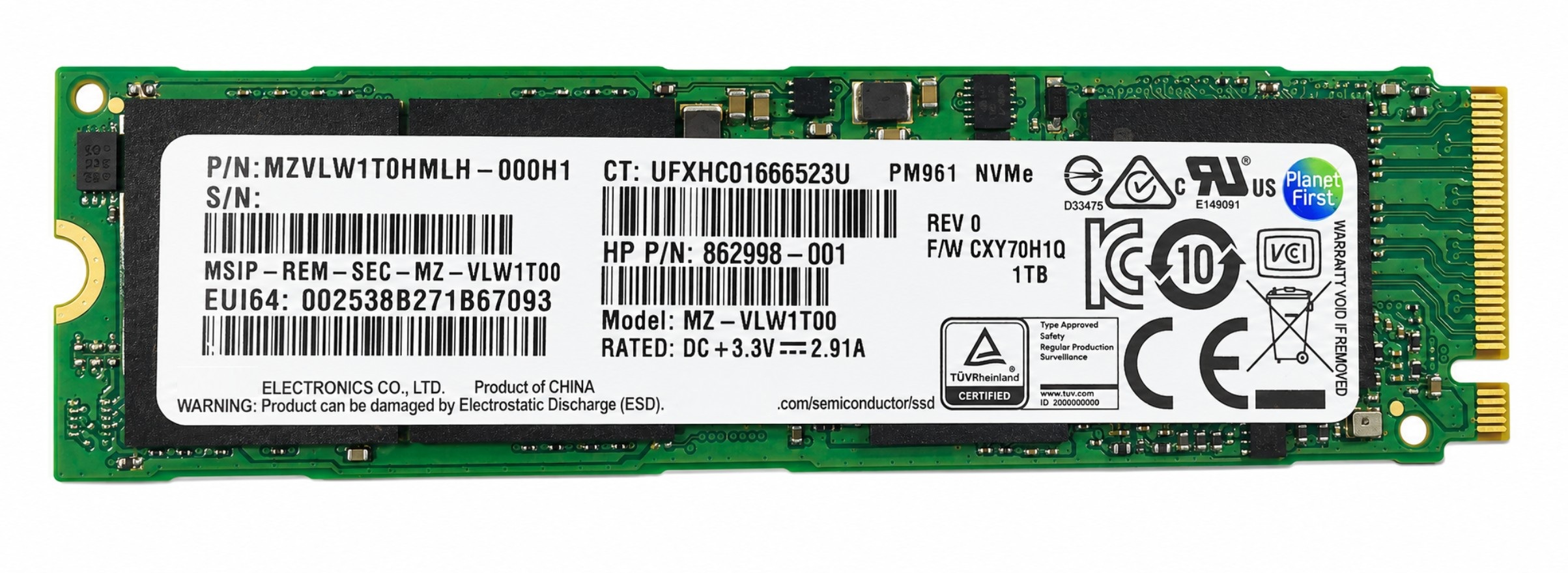
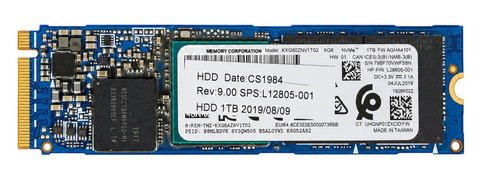
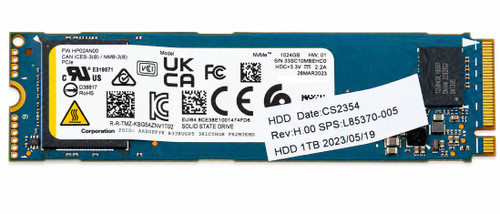
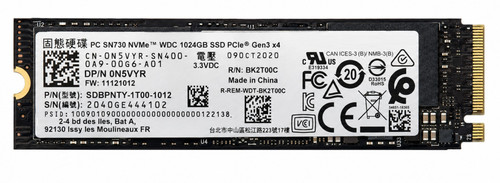
1TB NVMe PCIe Gen3 x4 M.2 2280 Solid State Drive SSD
High-performance 1TB NVMe PCIe Gen3 x4 M.2 2280 SSD designed for modern laptops, desktops, workstations, and mini PCs. Using the PCI Express 3.0 x4 interface and NVMe protocol, this drive delivers dramatically faster boot times and application loads compared with 2.5" SATA or M.2 SATA SSDs. Ideal as a primary OS drive or high-speed scratch disk for content creation, CAD, virtualization, and gaming systems that support M.2 NVMe.
This model is for M.2 PCIe NVMe slots only. It is not compatible with M.2 SATA-only slots.
Technical Specifications
- Capacity: 1TB
- Form Factor: M.2 2280 (22mm x 80mm)
- Interface: PCI Express 3.0 x4
- Protocol: NVMe (Non-Volatile Memory Express), NVMe 1.2 / 1.3 (model dependent)
- Connector Keying: M-key edge connector
- NAND Flash: 3D NAND (TLC / QLC depending on OEM model)
- Sequential Read: up to ~3,400 MB/s (model dependent)
- Sequential Write: up to ~3,000 MB/s (model dependent)
- Random 4K Read/Write: up to ~500K / 450K IOPS typical (model dependent)
- Endurance (TBW): typically 200–600 TB written for 1TB class NVMe drives (varies by part number)
- MTBF: up to 1.5M hours typical (varies by OEM)
- Operating Temperature: 0°C to 70°C (typical client NVMe rating)
- Operating Voltage: 3.3V DC
- Compatibility: Systems with an M.2 2280 slot wired for PCIe Gen3 x4 NVMe
⭐ Recommended M.2 SSD Mounting Screw - Sold Separately
Need a replacement screw to secure this M.2 2280 SSD? Add the M2 x 3mm Phillips Pan Head Screw for M.2 SSD Mounting to your order.
This mounting screw is designed for systems with an existing M2-threaded standoff and is commonly used to secure M.2 2280 NVMe SSDs.
Please verify that your device uses an M2 x 3mm screw. Some systems use a captive screw, retention clip, different screw size, or proprietary mounting hardware. Screw sold separately.
⭐ Recommended External Enclosure - Sold Separately
Use this SSD externally for cloning, testing, data recovery, drive imaging, or portable storage with the CPU Medics M.2 PCIe NVMe to USB-C External SSD Enclosure.
- Enclosure Item Number: CM-PCINVME-USBC
- Supported SSD Lengths: M.2 2230, 2242, 2260, and 2280
- SSD Interface: M-key PCIe NVMe
- Host Interface: USB-C / USB 3.1
- Maximum Interface Rate: Up to 10Gbps
- Controller: ASMedia ASM2362
- Power: USB-powered; no external power adapter required
- Important: The enclosure accepts PCIe/NVMe SSDs and does not accept M.2 SATA drives
The enclosure's USB link has less bandwidth than an internal PCIe Gen3 x4 connection, so external transfer speeds will be lower than the SSD may achieve when installed directly in a compatible system.
Interchangeable / Replacement Part Numbers
CT1000P1SSD8, MKNSSDPL1TB-D8, SSD0M96953, MZ-V7E1T0, MZ-V7E1T0BW, MZ-V8V1T0, MZ-V7S1T0, MZVLW1T0HMLH-00000, MZVLW1T0HMLH-000D1, MZVLW1T0HMLH-000L7, MZVKW1T0HMLH, MZVLV1T0HCJH-000D1, MZSLW1T0HMLH-000L1, MZVLB1T0HALR-00000, MZVLB1T0HALR-000L2, MZVLB1T0HBLR-00000, MZVLB1T0HBLR-000L7, MZ-VL81T00, PM981, SSDPEKKW010T7, SSDPEKKW010T8, SSDPEKNW010T8, SSDPEKNW010T9, WDS100T2B0C-00PXH0, WDS100T3X0C-00SJG0, WDS100T3B0C-00Z540, SDBPNTY-1T00-1006, THNSN51T02DUK, THNSN51T02DU7, KXG50PNV1T02, KXG50PNV1T02-xxxx, KXG60ZNV1T02, 512N6, N6WKK, N5VYR, N30NY, 2R3WG, 0CVM2, SSS0L25111, SSS0L25075, 5SD0L07883, 00UP492, 00UP438, 01FR506, L50353-001, 865697-005, 916857-001, 932527-850, MZ-NLV1T00, ASX6000LNP-1TT-C, 400-AHCC, 837375-001, 867632-001, 848238-001, 840951-001, 915930-001, 921337-001, 923774-001, 908359-020, 862998-001, L85348-002, L85348-005, L85370-002, L84082-001, L66613-001, MZ-V7S1T0BW, MZ-V7P1T0BW, MZ-V6P1T0BW, MZ-V6E1T0BW, MZ-V6E1T0, MZ-V6P1T0, MZ-V7P1T0, SSDPEKNW010T9X1, CT1000P2SSD8, CT1000P3SSD8, CT1000P5SSD8, WDS100T3B0C, WDS100T1R0C, WDS100T2G0C, WDS100T3G0C, WDS100T3B0C-00AZN0
(Individual part numbers may include vendor-specific suffixes or label revisions; all listed are 1TB PCIe Gen3 x4 NVMe M.2 2280 drives and can be used interchangeably where this specification is required.)
✅ Confirmed Compatibility
Please note that the following list is not exhaustive. Compatibility requires an M.2 2280 (22mm x 80mm) M-key storage socket wired for PCIe/NVMe and an 80mm retention point. Some systems were sold with different storage configurations, so verify the actual socket, mounting hardware, and service documentation before ordering. This PCIe Gen3 x4 SSD operates at the host's lower speed in reduced-lane systems and at Gen3 speed in compatible PCIe Gen4 or Gen5 sockets.
✔️ Standard M.2 2280 NVMe Systems: Compatible laptops, desktops, workstations, mini PCs, and motherboards with an 80mm M-key storage socket wired for PCIe/NVMe
✔️ Intel NUC Mini PCs: NUC7i3BNH, NUC7i3BNK, NUC7i5BNH, NUC7i5BNK, NUC7i7BNH, NUC8i3BEH, NUC8i3BEK, NUC8i5BEH, NUC8i5BEK, NUC8i7BEH, NUC8i7BEK
✔️ XPS Laptops: XPS 13 9350 (Late 2015), XPS 13 9370, XPS 13 9380, XPS 13 7390 clamshell, XPS 15 9550, XPS 15 9560, XPS 15 9570, XPS 15 7590, XPS 17 9700
✔️ Host-Limited XPS System: XPS 13 9360 supports an M.2 2280 PCIe/NVMe SSD up to 1TB but does not provide the full bandwidth available from a PCIe Gen3 x4 host
✔️ XPS Desktops: XPS 8930, XPS 8940
✔️ Latitude 5000 Series: Latitude 5280, Latitude 5300, Latitude 5310, Latitude 5400, Latitude 5480, Latitude 5491, Latitude 5500, Latitude 5510
✔️ Reduced-Lane Latitude Systems: Latitude 5290, Latitude 5490, and Latitude 5590 accept M.2 2280 PCIe NVMe drives through a PCIe Gen3 x2 connection, so this x4 SSD operates at the host's x2 limit; the correct bracket, cable, or mounting hardware may be required when converting from another storage configuration
✔️ Latitude 7000 Series: Latitude 7280, Latitude 7290, Latitude 7300, Latitude 7310, Latitude 7380, Latitude 7390, Latitude 7400, Latitude 7410 2-in-1, Latitude 7480, Latitude 7490, Latitude 7520
✔️ Precision Mobile Workstations: Precision 3520, Precision 3530, Precision 3540, Precision 3550, Precision 3560, Precision 5520, Precision 5530, Precision 5540, Precision 5550, Precision 7560
✔️ Precision Desktop Workstations: Precision 3430 Small Form Factor, Precision 3440 Small Form Factor, Precision 3630 Tower, Precision 3640 Tower
✔️ OptiPlex Desktops with M.2 Storage Socket: OptiPlex 3050 MT/SFF, OptiPlex 3060 MT/SFF, OptiPlex 3070 MT/SFF, OptiPlex 5050 MT/SFF, OptiPlex 5060 MT/SFF, OptiPlex 5070 MT/SFF/Micro, OptiPlex 7050 MT/SFF, OptiPlex 7060 MT/SFF/Micro, OptiPlex 7070 MT/SFF/Micro, OptiPlex 7080 MT/SFF, OptiPlex 7090 MT/SFF
✔️ Alienware Gaming Laptops: Alienware 15 R3, Alienware 17 R5, Alienware m15 R3, Alienware m17 R3
✔️ Inspiron Laptops: Inspiron 13 7370, Inspiron 13 7373 2-in-1, Inspiron 13 7380, Inspiron 13 7390 2-in-1, Inspiron 15 5580, Inspiron 15 7577, Inspiron 15 7580, Inspiron 15 7586 2-in-1, Inspiron 15 7590 clamshell, Inspiron 15 7590 2-in-1
✔️ G-Series Gaming Laptops: G3 15 3590, G5 15 5587, G5 15 5590, G7 15 7588, G7 15 7590
✔️ Inspiron Gaming Desktops: Inspiron 5675, Inspiron 5680
✔️ HP EliteBook Laptops: EliteBook 830 G5/G6, EliteBook 840 G5/G6/G7, EliteBook 850 G5/G6, EliteBook x360 1030 G3/G4
✔️ HP ProBook Laptops: ProBook 440 G5/G6/G7, ProBook 450 G5/G6/G7, ProBook 640 G4/G5, ProBook 650 G4/G5, ProBook 655 G5
✔️ HP ZBook Mobile Workstations: ZBook 14u G3/G4/G5/G6, ZBook 15u G3/G4/G5/G6, ZBook 15 G3/G4/G5/G6, ZBook 17 G3/G4/G5/G6, ZBook Studio G3/G4/G5/G6
✔️ HP Business Desktops: EliteDesk 800 G3/G4, EliteDesk 705 G4, and ProDesk 600 G3/G4 Desktop Mini, Small Form Factor, and Tower configurations equipped with the storage M.2 socket
✔️ HP Desktop Workstations: Z2 Mini G3/G4, Z2 Small Form Factor G4, Z2 Tower G4, Z4 G4
✔️ HP ENVY Laptops: ENVY 13-ab001 through 13-ab099, ENVY 13-ad001 through 13-ad199
✔️ HP Spectre Laptops: Spectre 13-v100 through 13-v199, Spectre x360 13-ap0xxx
✔️ HP Gaming Laptops: Omen 15-ce000 series, Omen 15-dc0000 series, Omen 17-an000 series, Pavilion Gaming 15-cx0000 series, Pavilion Gaming 16-a0xxx series
✔️ ThinkPad Business Laptops: ThinkPad T490, ThinkPad T14 Gen 1, ThinkPad T14 Gen 2, ThinkPad T15 Gen 1, ThinkPad X280, ThinkPad X390, ThinkPad X13 Gen 1, ThinkPad L14 Gen 1, ThinkPad L15 Gen 1, ThinkPad E14 Gen 1, ThinkPad E15 Gen 1
✔️ ThinkPad Premium Laptops: ThinkPad X1 Carbon Gen 5, ThinkPad X1 Carbon Gen 6, ThinkPad X1 Carbon Gen 7, ThinkPad X1 Carbon Gen 8, ThinkPad X1 Carbon Gen 9, ThinkPad X1 Extreme Gen 1, ThinkPad X1 Extreme Gen 2
✔️ ThinkPad Mobile Workstations: ThinkPad P51, ThinkPad P52, ThinkPad P53, ThinkPad P73, ThinkPad P1 Gen 1, ThinkPad P1 Gen 2
✔️ Reduced-Lane ThinkPad Systems: ThinkPad X270, ThinkPad T470, ThinkPad T470p, ThinkPad T480, ThinkPad A475, ThinkPad L480, and ThinkPad L490 support M.2 2280 NVMe storage through a PCIe Gen3 x2 path; the correct internal adapter, cable, tray, or caddy may be required depending on the original storage configuration
✔️ ThinkCentre Desktops: ThinkCentre M710q Tiny, ThinkCentre M710s Small Form Factor, ThinkCentre M720q Tiny, ThinkCentre M720s Small Form Factor, ThinkCentre M920q Tiny, ThinkCentre M920x Tiny, ThinkCentre M920s Small Form Factor, ThinkCentre M920t Tower, ThinkCentre M70s Small Form Factor, ThinkCentre M75s Gen 2 Small Form Factor
✔️ ThinkStation Workstations: ThinkStation P320 Tiny, ThinkStation P320 Small Form Factor, ThinkStation P320 Tower, ThinkStation P330 Tiny, ThinkStation P330 Small Form Factor, ThinkStation P330 Tower, ThinkStation P340 Tiny, ThinkStation P340 Small Form Factor, ThinkStation P340 Tower, ThinkStation P520, ThinkStation P520c
✔️ Acer Gaming Laptops: Nitro 5 AN515-51, Predator Helios 300 G3-571, Predator Helios 300 G3-572, Predator Helios 300 PH315-51
✔️ ASUS Gaming Laptops: ROG Strix GL502 series, ROG Strix GL503 series, ROG Strix GL504 series, TUF Gaming FX504 series, TUF Gaming FX505 series, TUF Gaming FA506 series, ROG Zephyrus GA502 series, ROG Zephyrus M GM501 series
✔️ MSI Gaming Laptops: GS63VR 7RF Stealth Pro, GS65 Stealth Thin 8RE/8RF, GE63 Raider RGB 8RE/8RF, GE65 Raider 9SE/9SF/9SFX
✔️ ASUS Desktop Motherboards: Z170-A, Maximus VIII Hero, Maximus VIII Formula, PRIME Z270-A, PRIME Z370-A, TUF Z370-PRO GAMING, PRIME Z390-A, TUF Z390-PLUS GAMING, ROG Strix Z390-E Gaming, ROG Strix Z390-H Gaming, WS Z390 PRO, PRIME A320M-K, ROG Crosshair VI Hero, PRIME B450-PLUS, ROG Strix B450-F Gaming, ROG Strix B450-F Gaming II, PRIME X470-PRO, PRIME B550M-A, TUF GAMING B550-PLUS, TUF GAMING B550M-PLUS, TUF GAMING B560M-E
✔️ GIGABYTE and AORUS Desktop Motherboards: GA-Z170X-Gaming 5, GA-Z170X-Gaming 7, GA-Z270X-Ultra Gaming, Z370 HD3, Z370 AORUS Gaming 5, Z370 AORUS Ultra Gaming WiFi, Z390 M, Z390 UD V2, Z390 I AORUS PRO WIFI, Z390 AORUS PRO, Z390 AORUS ELITE, Z390 AORUS MASTER, B450M DS3H, B450M DS3H WIFI, B450 AORUS M, B450 AORUS PRO, B450 AORUS PRO WIFI, B450 AORUS ELITE, X470 AORUS Ultra Gaming, X470 AORUS Gaming 7 WiFi, B550 AORUS ELITE, B550 AORUS PRO, X570 AORUS ELITE, X570 AORUS PRO, X570 AORUS ULTRA, X299 AORUS Ultra Gaming Pro, X299X AORUS MASTER
✔️ MSI Desktop Motherboards: Z170A GAMING M5, Z370 GAMING PRO CARBON, Z390-A PRO, MPG Z390 GAMING PLUS, MPG Z390 GAMING EDGE AC, MAG Z390 TOMAHAWK, B450-A PRO, B450 TOMAHAWK, B450 TOMAHAWK MAX, B450 GAMING PRO CARBON AC, B450M MORTAR MAX, X470 GAMING PLUS, MPG X299M GAMING EDGE AC
✔️ ASRock Desktop Motherboards: Z170 Extreme4, Z270 Extreme4, Z370 Extreme4, Z390 Extreme4, B450 Pro4, B450M Pro4, B450 Steel Legend, X470 Taichi, B460 Phantom Gaming 4, X299 Taichi CLX
✔️ Desktop Motherboard Socket Notes: Use an M.2 socket that supports 2280 PCIe/NVMe. Depending on the board, processor, and selected socket, a secondary M.2 connector may operate at x2, use an older PCIe generation, support SATA only, become disabled, or share lanes with SATA or PCIe connectors. Consult the exact board manual before installation
✔️ PCIe Expansion-Card Applications: Compatible desktop computers can use this SSD through a suitable M-key NVMe-to-PCIe adapter; operating-system use requires NVMe driver support, while boot-drive use also requires firmware with NVMe boot support
✔️ External USB-C Applications: Compatible with the separately sold CM-PCINVME-USBC enclosure for cloning, testing, recovery, imaging, and portable storage
☑️ Key Features
☑️ True 1TB-class M.2 2280 NVMe storage with a native PCIe Gen3 x4 interface
☑️ Suitable for compatible laptops, desktops, workstations, mini PCs, and motherboards
☑️ M-key edge connector for PCIe/NVMe storage sockets
☑️ Supports operating-system, application, gaming, project-file, and general-storage use
☑️ Faster storage interface than 2.5-inch SATA and M.2 SATA drives
☑️ Compatible with full-lane Gen3 x4 hosts and reduced-lane Gen3 x2 hosts at the host's lower speed
☑️ Newly researched identifier section excludes every number supplied in the existing master list
☑️ Bare 22mm x 80mm module fits systems that provide the correct socket and mounting point
☑️ External cloning, testing, recovery, and portable use available through the recommended enclosure
☑️ No fixed heatsink, RGB assembly, liquid cooler, or desktop adapter card included
⚙️ Fit Notes
- Confirm the storage bay accepts M.2 2280 (22mm x 80mm) and supports M-key PCIe/NVMe storage.
- Not compatible with M.2 SATA-only sockets, B-key-only sockets, mSATA, mini-PCIe, U.2, or bays limited to shorter modules.
- PCIe Gen3 x4 drives operate at the host’s supported speed when installed in x2, Gen4, or Gen5 sockets.
- Verify the actual socket and system configuration. Some systems require a chassis-specific screw, bracket, caddy, cable, thermal plate, or insulating pad that is not included with a bare SSD.
- Component placement and single- or double-sided construction may vary by the exact interchangeable model supplied; verify clearance in ultrathin systems.
- Using an M.2 socket may affect SATA ports or PCIe lane allocation. NVMe boot use also requires compatible system firmware.
- Replacing a boot drive may require cloning or reinstalling the operating system. Performance, endurance, NAND type, DRAM cache, encryption features, and formatted capacity vary by model and configuration.
Includes CPU Medics Standard 30-Day Warranty - Additional warranty options are available on the item page.