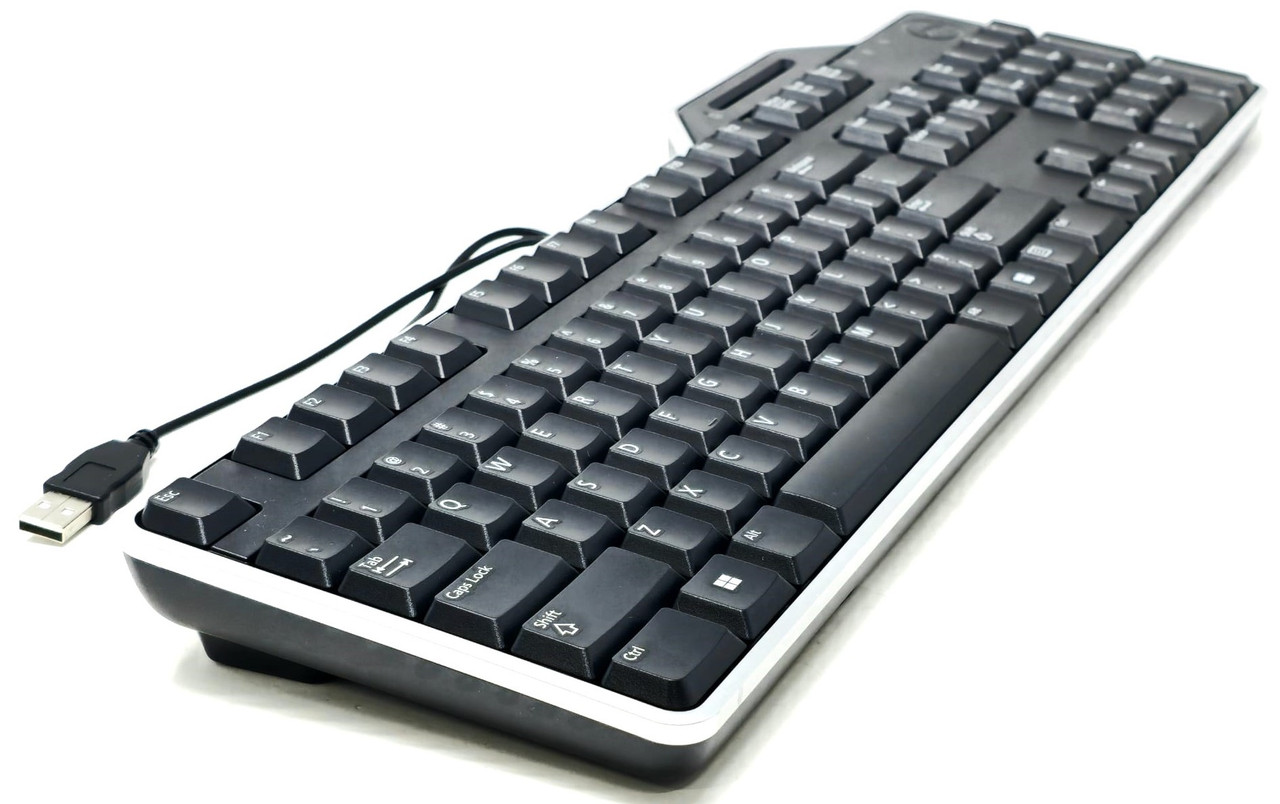
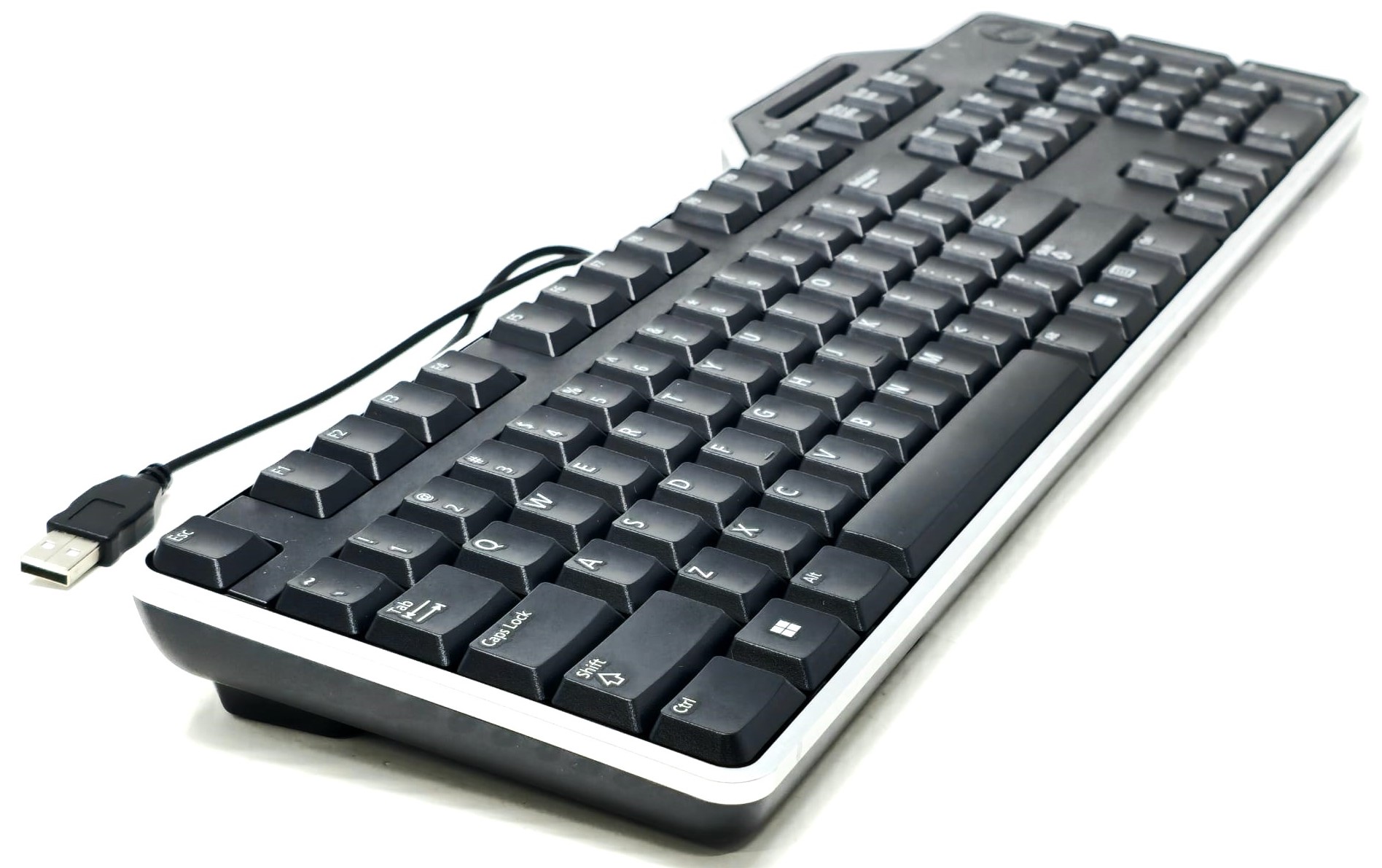
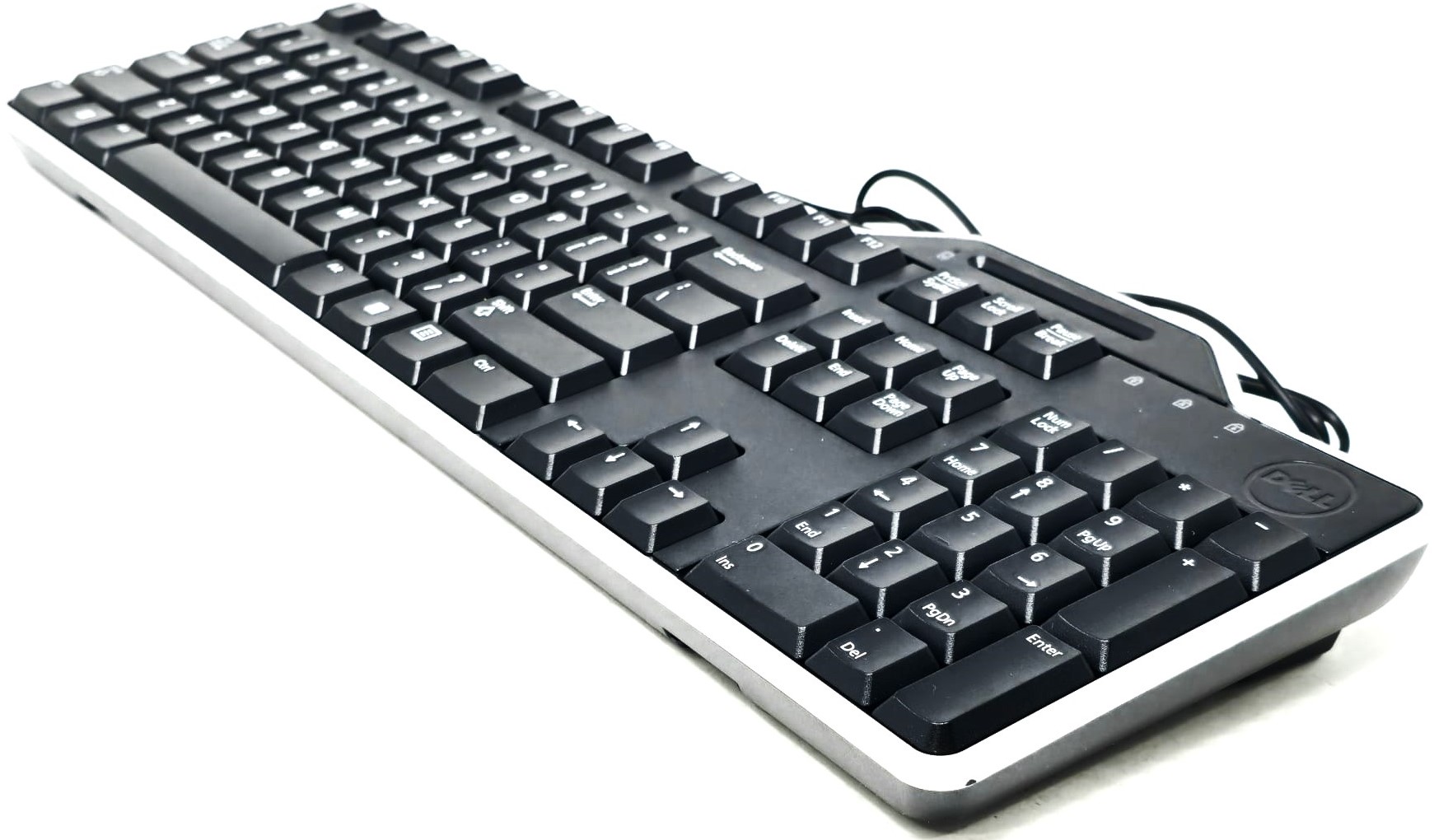
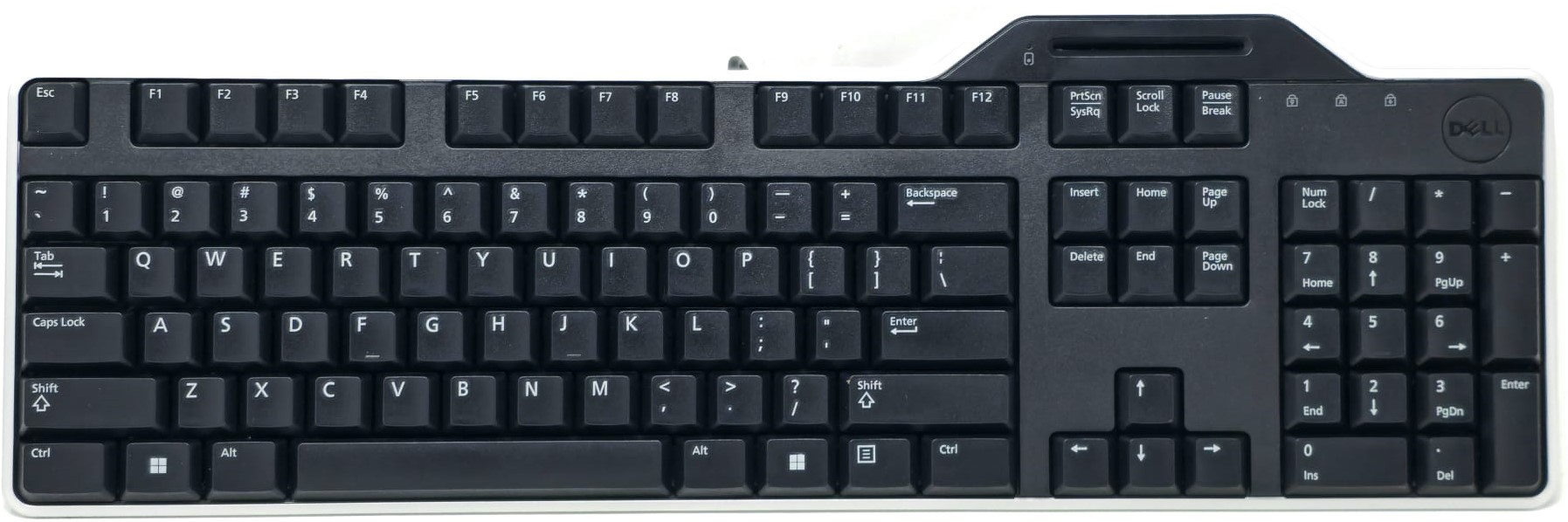
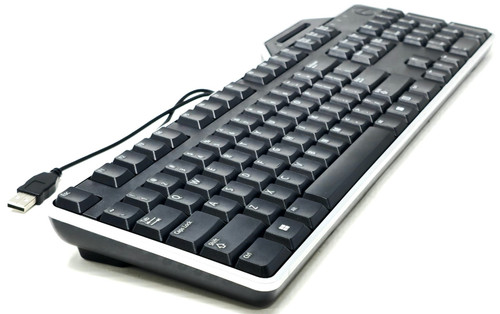
KB813 USB Keyboard with Smart Card Reader for OptiPlex Precision Latitude Wyse
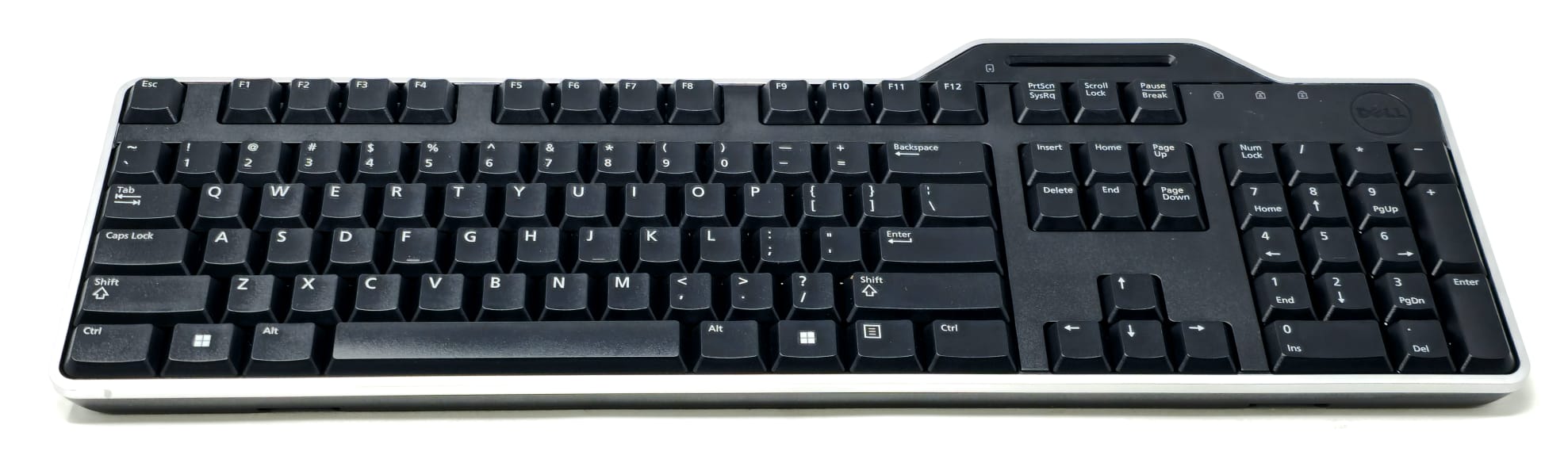
Full-size USB keyboard with integrated smart card reader for compatible desktops, workstations, thin clients, notebooks, docked systems, server consoles, and secure authentication environments. This wired black US keyboard uses a standard USB connection and is designed for CAC, PIV, corporate ID, secure login, and smart card authentication setups when supported by the operating system, middleware, card type, and security configuration.
What’s Included
- Included Item: 1x KB813 USB keyboard with integrated smart card reader
Technical Specifications
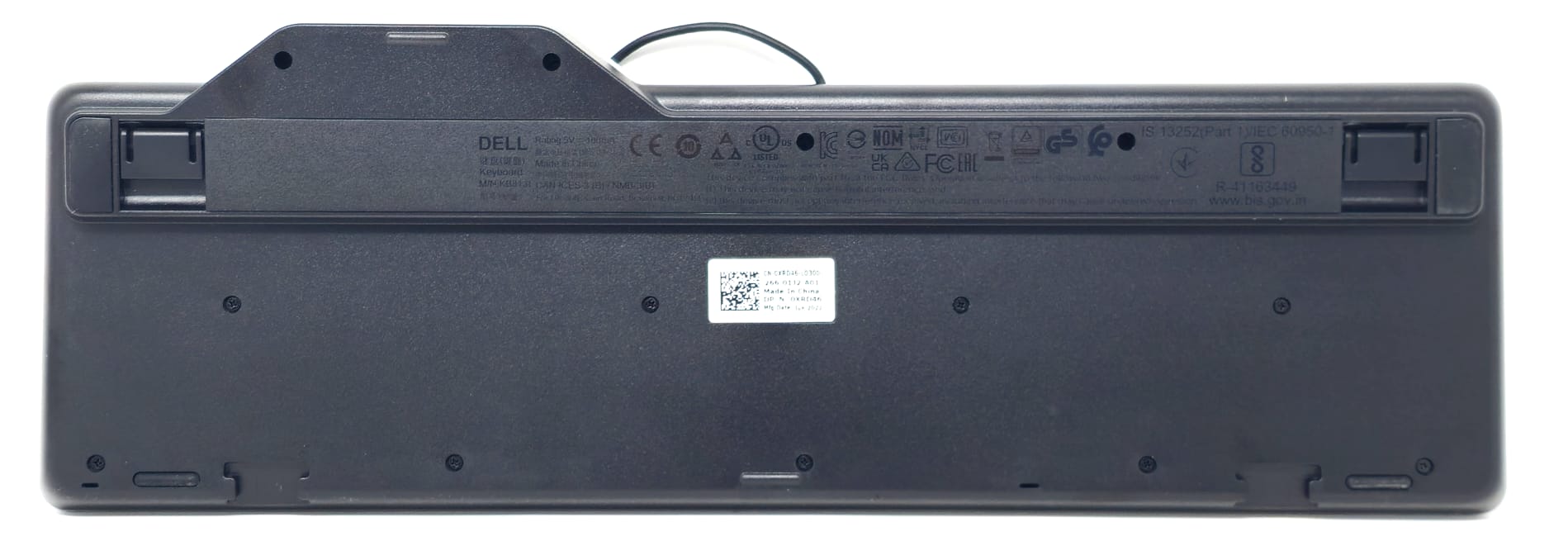
- Primary Part Number: 0R4F7T
- Keyboard Model: KB813
- Alternate Model: SK-3205
- Part Type: USB keyboard with integrated smart card reader
- Keyboard Layout: US English / QWERTY
- Keyboard Color: Black
- Connection Type: Wired USB
- Host Interface: USB Type-A
- Smart Card Reader: Integrated contact smart card reader
- Smart Card Slot Location: Built into top-right keyboard section
- Key Layout: Full-size keyboard with function keys, navigation cluster, arrow keys, and numeric keypad
- Numeric Keypad: Yes
- Function Key Row: Yes
- Cable Type: Attached USB cable
- Power Source: Powered through USB connection
- Application Type: Desktop keyboard, workstation keyboard, thin client keyboard, secure login keyboard, smart card authentication keyboard
Smart Card Reader Details
- Reader Type: Integrated contact smart card reader
- Supported Card Use: CAC, PIV, corporate ID, access badge, and smart card authentication environments when supported by the host system
- Reader Connection: Internal smart card reader communicates through the same USB keyboard cable
- Driver Requirement: Keyboard function is typically plug-and-play; smart card reader function may require OS support, middleware, certificates, or security software
- Authentication Use: Designed for systems using smart card login, secure workstation access, digital certificates, VPN authentication, VDI access, or enterprise identity management
Interchangeable / Replacement Part Numbers
0R4F7T, R4F7T, CN-0R4F7T, 332-1571, 34GPR, 034GPR, 3WPNC, 03WPNC, FNCWX, 0FNCWX, KB813, KB813-BK-US, KB813t, SK-3205, XRD46, 0XRD46, CN-0XRD46
Keyboard Model Cross Reference
- Main Keyboard Model: KB813
- Manufacturer / Keyboard Shell Model: SK-3205
- US Black Layout Reference: KB813-BK-US
- Common Service Part References: 0R4F7T, R4F7T, 34GPR, 3WPNC, FNCWX, XRD46
- Common Ordering / Option Reference: 332-1571
- Compatible Keyboard Type: USB wired keyboard with integrated contact smart card reader and US English layout
✅ Confirmed Compatibility
Please note that the following list is not exhaustive. Compatibility depends on USB support, operating system support, smart card reader driver support, security middleware, card type, and authentication configuration. Keyboard typing functions work through standard USB keyboard support; smart card functions require a compatible smart card environment.
✔ OptiPlex Desktop Models: OptiPlex 210L, 320, 330, 360, 380, 390, 580, 7010, 7020, 7040, 7050, 7060, 7070, 7080, 7090, 3000, 5000, 7000, 3010, 3020, 3040, 3050, 3060, 3070, 3080, 3090, 5050, 5060, 5070, 5080, 5090, 7050, 7060, 7070, 7080, 7090, 9010, 9020, 980, 990, GX520, GX620
✔ OptiPlex Small Form Factor / Micro / All-in-One Environments: OptiPlex 3020 SFF, 7020 SFF, 9020 SFF, 3040 SFF, 5040 SFF, 7040 SFF, 3050 SFF, 5050 SFF, 7050 SFF, 3060 SFF, 5060 SFF, 7060 SFF, 3070 SFF, 5070 SFF, 7070 SFF, 3080 SFF, 5080 SFF, 7080 SFF, 3090 SFF, 5090 SFF, 7090 SFF, 3000 Micro, 5000 Micro, 7000 Micro, 3030 AIO, 3040 AIO, 3240 AIO, 5250 AIO, 5260 AIO, 5270 AIO, 5400 AIO, 7400 AIO, 7410 AIO
✔ Precision Desktop / Workstation Models: Precision T1600, T1650, T1700, T3400, T3500, T3600, T3610, T5500, T5600, T5610, T5810, T5820, T5860, T7500, T7600, T7610, T7810, T7820, T7865, T7910, T7920, T7960, 3420 SFF, 3430 SFF, 3440 SFF, 3450 SFF, 3460 SFF, 3620 Tower, 3630 Tower, 3640 Tower, 3650 Tower, 3660 Tower, 3930 Rack, 7920 Rack
✔ Latitude Notebook / Docked Workstation Environments: Latitude E5420, E5520, E5430, E5530, E5440, E5540, E6320, E6330, E6420, E6430, E6440, E6520, E6530, E6540, E7240, E7250, E7270, E7280, E7290, E7440, E7450, E7470, E7480, E7490, 3310, 3320, 3330, 3340, 3350, 3380, 3390, 3410, 3420, 3430, 3440, 3510, 3520, 3530, 3540, 5410, 5420, 5430, 5440, 5510, 5520, 5530, 5540, 7310, 7320, 7330, 7410, 7420, 7430, 7440, 7510, 7520, 7530, 7540 when connected through a USB port, docking station, port replicator, monitor USB hub, or compatible USB-C dock
✔ Mobile Precision Docking Environments: Precision M2800, M4600, M4700, M4800, M6600, M6700, M6800, 3510, 3520, 3530, 3540, 3550, 3560, 3570, 5510, 5520, 5530, 5540, 5550, 5560, 7510, 7520, 7530, 7540, 7550, 7560, 7670, 7710, 7720, 7730, 7740, 7750, 7760, 7770 when connected through USB or a compatible docking setup
✔ Wyse Thin Client Models: Wyse 3040, 3030 LT, 5010, 5020, 5040 AIO, 5060, 5070, 5470, 5470 AIO, 7010, 7020, 7030, 7040, 3000 series, 5000 series, 7000 series, thin client environments using USB keyboard and smart card redirection support
✔ PowerEdge Server Console / KVM Use: PowerEdge T110, T130, T140, T150, T310, T320, T330, T340, T350, T410, T420, T430, T440, T550, T610, T620, T630, T640, R210, R220, R230, R240, R250, R310, R320, R330, R340, R350, R410, R420, R430, R440, R450, R510, R520, R530, R540, R550, R610, R620, R630, R640, R650, R710, R720, R730, R740, R750 when used through USB console ports, rack KVMs, or operating system environments that support USB smart card readers
✔ Vostro / Inspiron / XPS Desktop Models: Vostro 200, 220, 230, 260, 270, 3668, 3670, 3681, 3888, 3910, Inspiron 3650, 3668, 3670, 3880, 3891, 3910, 3020, 3030, XPS 420, 630, 8300, 8500, 8700, 8900, 8910, 8920, 8930, 8940, 8950, 8960
✔ Enterprise Smart Card Authentication Setups: Compatible with many CAC, PIV, corporate ID, access badge, certificate login, VPN authentication, VDI, remote desktop, and secure workstation environments when the host operating system and middleware support USB contact smart card readers
✔ Operating System Environments: Windows 7, Windows 8, Windows 8.1, Windows 10, Windows 11, Windows Server environments, and Linux / thin client operating systems with proper USB keyboard and smart card reader support
☑️ Key Features
☑️ Full-size wired USB keyboard with integrated smart card reader
☑️ US English QWERTY layout
☑️ Built-in contact smart card slot for compatible authentication cards
☑️ Useful for CAC, PIV, corporate ID, and secure login environments
☑️ Standard USB connection for broad desktop, workstation, thin client, notebook, and server-console compatibility
☑️ Includes numeric keypad, function row, navigation cluster, and arrow keys
☑️ Helps reduce desk clutter by combining keyboard and smart card reader into one device
☑️ Good replacement for failed, missing, worn, sticky, or damaged smart card keyboards
☑️ Interchangeable with 0R4F7T, R4F7T, 332-1571, 34GPR, 3WPNC, FNCWX, KB813, KB813-BK-US, KB813t, SK-3205, and XRD46
☑️ Direct-fit replacement when the required keyboard model, layout, USB connection, and smart card reader function match
⚙️ Fit Notes
- Match your original keyboard model or part number whenever possible
- Confirm you need the KB813 USB smart card keyboard with US English layout
- This is a wired USB keyboard, not wireless or Bluetooth
- Keyboard typing functions require a standard USB port
- Smart card reader function depends on operating system support, drivers, card middleware, certificates, and authentication setup
- Contact smart cards must be inserted into the integrated reader slot; this is not a contactless / NFC reader
- CAC, PIV, ID card, access card, certificates, middleware, and login credentials are not included
- Some KVM switches, docks, monitor USB hubs, or thin client sessions may pass keyboard input but may require additional configuration for smart card reader redirection
- For best smart card detection, connect directly to the computer or a compatible powered USB port when possible
- If the reader is not detected, verify USB device detection, smart card service status, middleware installation, and card driver support
- This keyboard is intended for systems and environments that support external USB keyboards and USB contact smart card readers