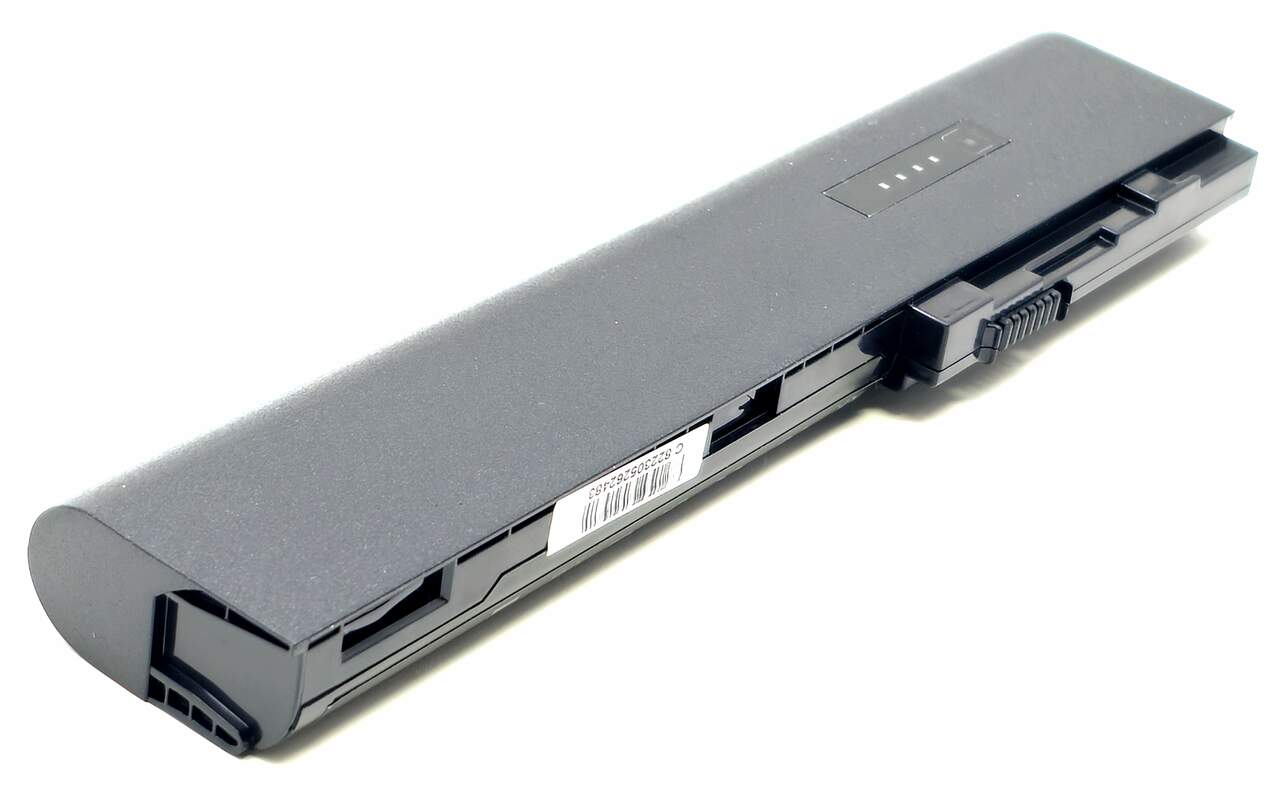
6-Cell SX03 SX06 SX09 Replacement Battery for EliteBook 2560p 2570p
Brand-new unbranded 6-cell lithium-ion replacement battery for compatible EliteBook 2560p and 2570p notebook computers. This battery provides 11.1V output and 5200mAh capacity and can replace compatible SX03, SX06, and SX09 battery configurations using the same battery-bay connection and mounting design.
This is a new third-party replacement battery and is not manufactured by the original system manufacturer.
✔️ BRAND NEW !!
✔️ FACTORY FRESH UNITS !!
✔️ LONG LASTING CELLS !!
Technical Specifications
- Primary Part Number: SX06062-CL
- Brand: Unbranded
- Product Type: Third-party replacement notebook battery
- Battery Chemistry: Lithium-ion
- Number of Cells: 6-cell
- Voltage: 11.1V
- Capacity: 5200mAh / 5.2Ah
- Approximate Energy Rating: 57.7Wh / commonly rounded to 58Wh
- Color: Black
- Battery Family: SX03 / SX06 / SX09 replacement
- Installation Type: Removable primary notebook battery
- Mounting Style: Slide-in battery with integrated locking tabs
- Application: Replacement battery for compatible 2560p and 2570p notebook systems
- Included: One 6-cell replacement battery
Interchangeable / Replacement Part Numbers
632016-242, 632017-242, 632421-001, 632423-001, HSTNN-DB2M, QK645AA, QK645UT, SX06062-CL, SX09
✅ Confirmed Compatibility
Please note that compatibility depends on the notebook model, original battery part number, voltage, connector position, battery-bay shape, and locking-tab arrangement. Verify the original battery and system model before ordering.
✔️ EliteBook 2560p Series: EliteBook 2560p Notebook PC
✔️ EliteBook 2570p Series: EliteBook 2570p Notebook PC
✔️ Supported Battery Families: Compatible systems originally configured for SX03, SX06, or SX09 battery packs using the matching battery-bay interface
☑️ Key Features
☑️ Brand-new unbranded replacement battery
☑️ Factory-fresh units with long-lasting lithium-ion cells
☑️ 6-cell configuration with 5200mAh capacity
☑️ 11.1V output for compatible notebook systems
☑️ Rechargeable lithium-ion battery technology
☑️ Removable design for quick installation and replacement
☑️ Integrated connector and locking tabs for the matching battery bay
☑️ Replaces the listed SX03, SX06, and SX09 battery references
☑️ Suitable for replacing batteries that no longer charge, discharge quickly, or are no longer detected
☑️ Supplied as an unbranded third-party replacement battery
⚙️ Fit Notes
✓ This listing is always supplied as a 6-cell 11.1V 5200mAh battery, regardless of the original part number being replaced.
✓ The physical profile may differ from an extended 9-cell pack because this replacement uses the more compact 6-cell configuration.
✓ Verify the original battery part number, battery-bay shape, connector location, voltage, and locking tabs before ordering.
✓ Actual operating time depends on system configuration, processor load, screen brightness, wireless use, battery settings, and overall notebook condition.
✓ Fully charge the battery before initial use. If the system reports an inaccurate charge percentage, follow the notebook’s battery-calibration procedure.
✓ Do not install or continue using any lithium-ion battery that appears swollen, cracked, punctured, leaking, or physically damaged.