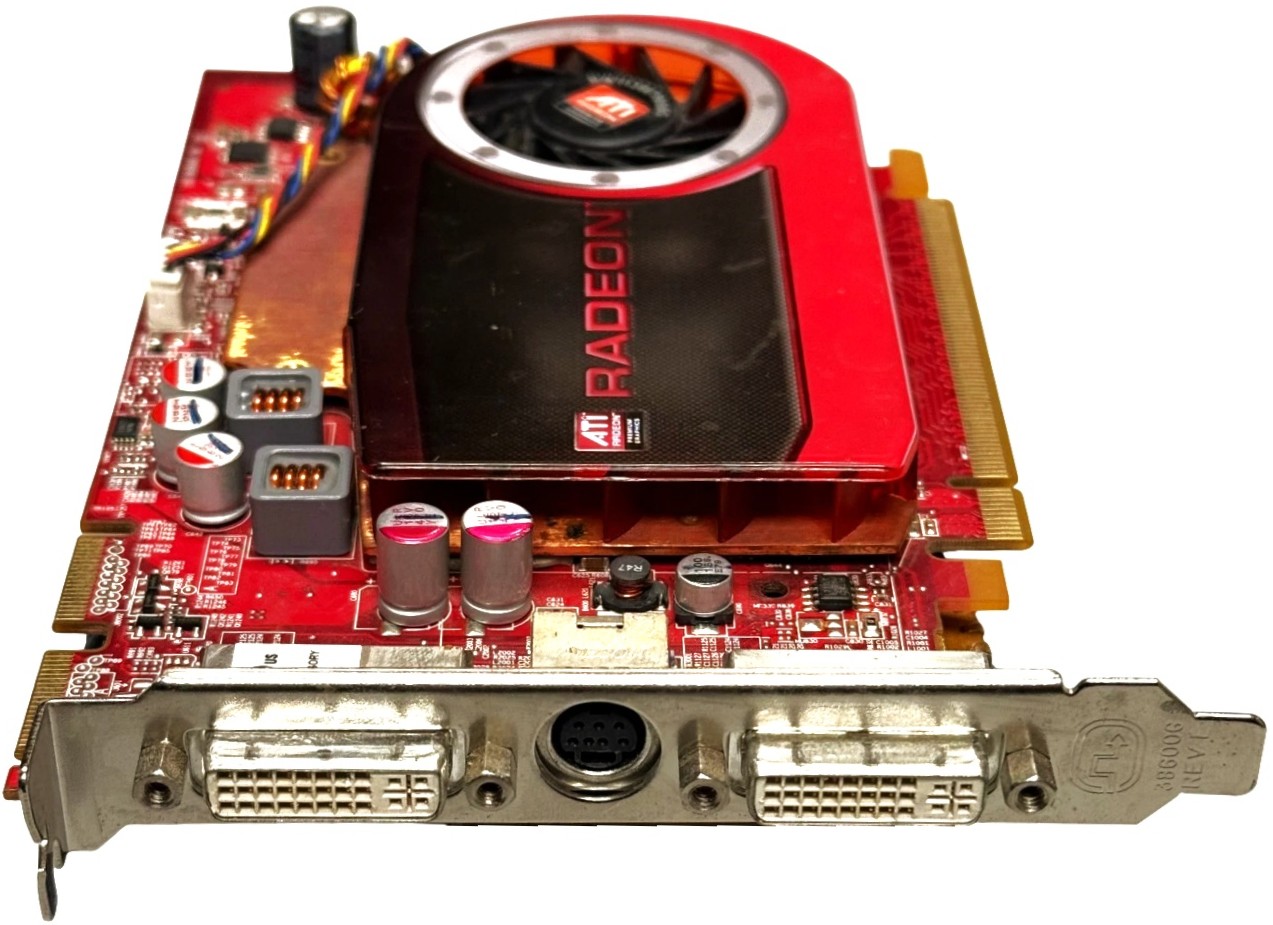
512MB ATI Radeon HD 4670 PCI Express x16 Dual DVI S-Video Graphics Card
Description
M639J is a full-height ATI Radeon HD 4670 512MB PCI Express x16 graphics card, ideal as a replacement or upgrade for legacy desktops and workstations that still need solid 2D/3D performance and dual-monitor support. It features a blower-style cooler with aluminum heatsink, dual DVI outputs plus TV-out, and is well-suited for office work, light graphics, multi-display setups, and restoring older systems to working condition.
✔️ Clean pull, fully tested and in good working condition
✔️ Standard PCI Express x16 interface – no special adapters required for compatible systems
✔️ Supports dual digital displays via DVI plus legacy TV-out via mini-DIN connector
Technical Specifications
- Model: ATI Radeon HD 4670
- Part Number (DPN): M639J
- GPU Core: RV730
- Memory Capacity: 512MB
- Memory Type: GDDR3
- Memory Interface: 128-bit
- Bus Interface: PCI Express 2.0 x16 (backward compatible with PCIe x16 1.x slots)
- Bracket: Full-height (standard desktop towers)
-
Outputs:
- 2x DVI-I dual-link (digital/analog)
- 1x 7-pin mini-DIN TV-out (S-Video / component via breakout cable, not included)
- Approximate Board Power: ~60W TDP
- Recommended Power Supply: 300W or higher quality PSU
- Cooling: Single-fan radial (blower) cooler with aluminum heatsink
Interchangeable / Replacement Part Numbers
The following part numbers refer to the same 512MB Radeon HD 4670 full-height PCIe x16 card with dual DVI and TV-out:
- DPN: M639J, 0M639J
- OEM / Board PNs: 102B6660300, 7120073000G
Use this card wherever any of the part numbers above are required and the system has a compatible PCIe x16 slot and adequate power.
✅ Confirmed Compatibility
Please note that the following list is not exhaustive. Compatibility depends on your system's specific configuration. It's essential to verify compatibility with your system or enclosure manufacturer prior to installation.
✔️ Dell desktop and workstation towers with a standard PCI Express x16 slot and full-height expansion bay (many OptiPlex, Precision, XPS, Vostro, and Studio XPS towers)
✔️ HP, Lenovo, Acer, ASUS and other ATX or microATX desktops with a free PCIe x16 graphics slot and 300W+ power supply
✔️ Legacy Windows workstations that need DVI dual-monitor output or a replacement for an older PCIe graphics card
This card is not low-profile. It is not recommended for ultra-small-form-factor (USFF), small-form-factor (SFF) systems, or slim desktops that require half-height brackets.
☑️ Key Features
☑️ 512MB GDDR3 video memory for smooth 2D/office workloads and light 3D applications
☑️ Dual DVI outputs for running two digital monitors simultaneously
☑️ Legacy TV-out via mini-DIN connector for older projectors or capture devices (adapter cable required)
☑️ PCIe 2.0 x16 interface, backward compatible with earlier PCIe x16 generations
☑️ Ideal drop-in replacement for failed OEM cards in older desktops
⚙️ Fit Notes
- Requires one open full-height PCI Express x16 slot on the motherboard.
- Ensure your power supply is rated 300W or higher and has sufficient +12V capacity to support the GPU along with your CPU and drives.
- This card occupies a single expansion slot at the bracket, but the cooler shroud and heatsink may reduce clearance in the neighboring slot; avoid installing another heat-sensitive card immediately next to it if airflow is limited.
- For best stability, uninstall old graphics drivers (especially from different vendors) before installing the correct Radeon drivers for your operating system.
- If you ever remove the heatsink to service the card, clean both mating surfaces and apply a high-quality thermal compound such as Shin-Etsu G751 thermal paste before reassembly.