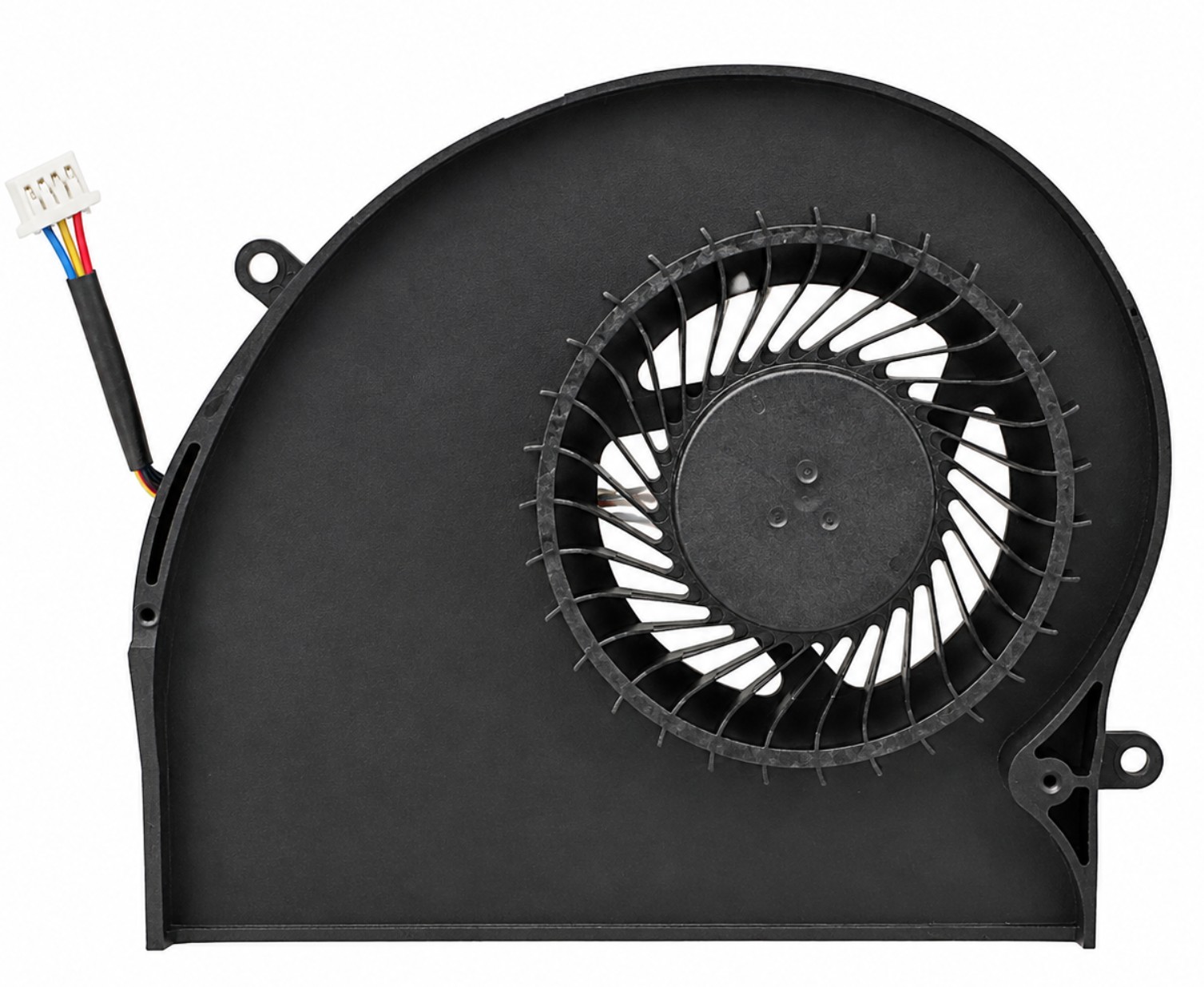
K2PKV / MG75090V1-C070-S9A - GPU Cooling Fan for Alienware 17 R4 R5 P31E
This GPU cooling fan is designed for compatible Alienware 17 R4 and Alienware 17 R5 gaming laptops using the K2PKV or MG75090V1-C070-S9A fan configuration. It provides dedicated cooling for the graphics processor and uses a 4-wire 4-pin connection for system-controlled fan speed and monitoring.
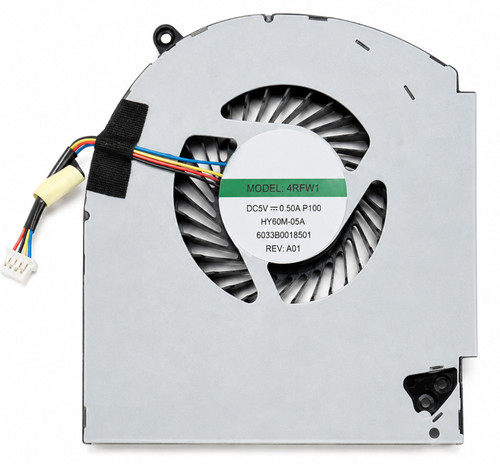
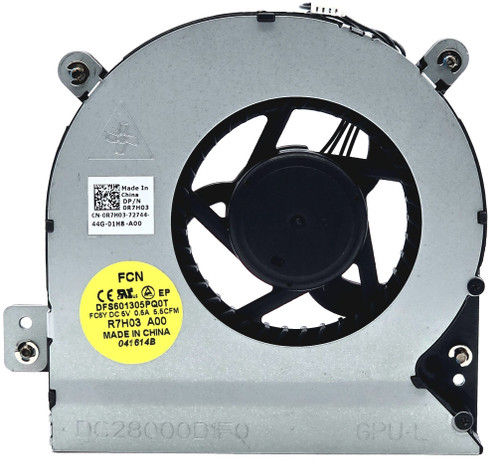
This is the GPU-side fan only. These systems use a separate CPU-side cooling fan, available through the related-part links below.
Technical Specifications
- Brand: Unbranded / Third Party
- Primary Part Number: K2PKV
- Fan Model: MG75090V1-C070-S9A
- Component Type: Internal GPU cooling fan
- Cooling Position: Graphics processor side
- Input Voltage: DC 5V
- Rated Current: 0.40A
- Rated Airflow: Approximately 12.8 CFM
- Connector: 4-pin
- Cable Wires: 4-wire
- Speed Control: System-controlled
- Fan Dimensions: Approximately 111mm × 93mm × 10mm
- Cable Length: Approximately 30mm
- Compatible Platform Codes: ALW17C, P31E, P31E001
- Included Quantity: One GPU cooling fan
- Heatsink: Not included
Interchangeable / Replacement Part Numbers
K2PKV, 0K2PKV, CN-0K2PKV, MG75090V1-C070-S9A
⭐➕ Related CPU-Side Cooling Fan — Sold Separately
This listing is for the GPU-side fan. The system also uses a separate CPU-side cooling fan identified by 4RFW1 / MG75090V1-C060-S9A.
The companion CPU fan can be purchased through either corresponding item page:
4RFW1 CPU Cooling Fan
MG75090V1-C060-S9A CPU Cooling Fan
The CPU-side and GPU-side fans are different shapes and are not interchangeable with each other.
⭐➕ Recommended Thermal Grease — Sold Separately
If the heatsink assembly must be removed during installation, completely clean away the old thermal compound and apply fresh Shin-Etsu G751 High-Performance Thermal Grease before reinstalling the heatsink.
Fresh thermal compound helps restore proper heat transfer between the GPU, CPU, heat spreaders, and cooling assembly.
⚠️ Product Appearance Notice
The item shipped may differ slightly from the listing photos. Label color, label layout, printed markings, sticker style, wire colors, and other minor cosmetic details may vary by production batch or supplier.
The actual fan will match the physical design shown, including the housing shape, mounting points, dimensions, cable configuration, connector, voltage, airflow direction, and intended compatibility. Any variation will be functionally interchangeable for the application described.
✅ Confirmed Compatibility
Several fan and thermal-module revisions were used within these laptop families. Confirm that the original GPU fan is marked K2PKV, 0K2PKV, or MG75090V1-C070-S9A and compare the housing, mounting points, cable exit, and connector before ordering.
Alienware 17 R4 Series
✔️ Series and Platform Codes: Alienware 17 R4, AW17R4, ALW17C, P31E, P31E001
✔️ Supported Graphics Configurations: GTX 1060, GTX 1070, and GTX 1080 configurations originally equipped with K2PKV or MG75090V1-C070-S9A
✔️ Documented Retail Configuration: AW17R4-7352SLV-PUS
Alienware 17 R5 Series
✔️ Series and Platform Codes: Alienware 17 R5, AW17R5, ALW17C, P31E, P31E001
✔️ Supported Graphics Configurations: GTX 1060, GTX 1070, GTX 1080, and Radeon configurations originally equipped with MG75090V1-C070-S9A
✔️ Documented Retail Configurations: AW17R5-7108SLV-PUS, AW17R5-7811BLK-PUS
☑️ Key Features
☑️ Dedicated replacement fan for the GPU cooling side
☑️ DC 5V 0.40A electrical rating
☑️ Approximately 12.8 CFM rated airflow
☑️ 4-pin 4-wire connection for system-controlled operation
☑️ Compatible with documented Alienware 17 R4 and R5 configurations
☑️ Direct replacement for K2PKV and MG75090V1-C070-S9A installations
☑️ Separate matching CPU-side fan available through the live links above
⚙️ Fit Notes
- This is the GPU-side fan, not the CPU-side fan.
- The CPU and GPU fans have different housings, mounting points, airflow ratings, and cable routing. They cannot be substituted for one another.
- Confirm the original fan number and compare the housing shape, mounting tabs, connector, cable length, and wire order before installation.
- Do not rely on left-side or right-side descriptions alone because orientation changes depending on how the laptop is positioned.
- Some Alienware 17 R4 and R5 configurations use different fan or thermal-module revisions.
- The listing includes the fan only. The heatsink, heat pipes, thermal pads, mounting screws, and CPU-side fan are not included.
- Disconnect the AC adapter and internal battery before beginning the repair.
- Clean accumulated dust from the exhaust fins and air channels before installing the replacement fan.
- Route the fan cable exactly like the original to prevent contact with the fan blades or interference with the bottom cover.
- If the heatsink is removed, replace the thermal compound and preserve or replace thermal pads using their original thicknesses.