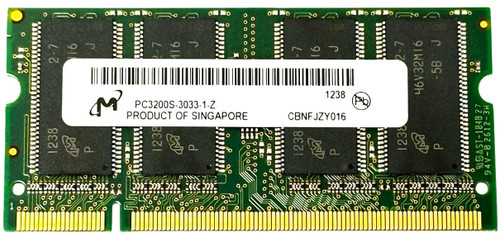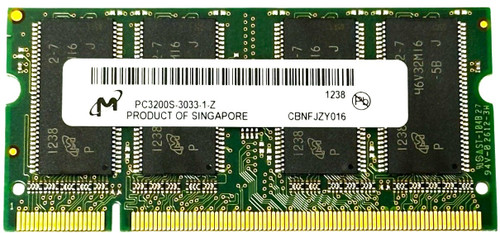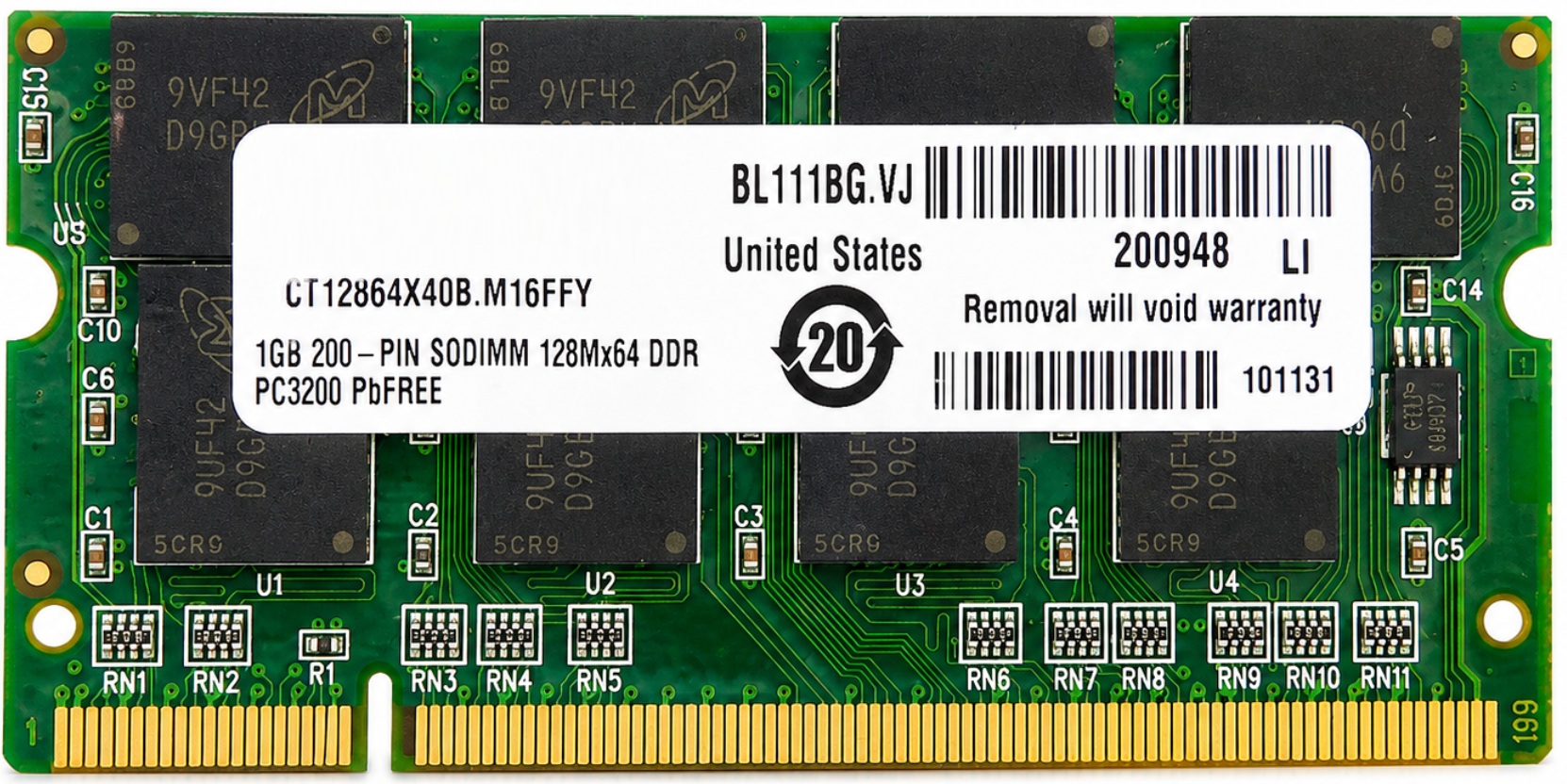







1GB DDR400 PC3200 200-pin SO-DIMM laptop memory module for compatible legacy notebooks, mobile workstations, rugged laptops, embedded systems, and industrial boards that use DDR1 notebook memory. This module is intended for systems requiring 1GB non-ECC unbuffered DDR SO-DIMM memory and can also operate in many DDR333 / PC2700 or DDR266 / PC2100 systems when the system supports 1GB DDR SO-DIMM modules and downclocks the memory automatically.
CT12864X40B, CT12864X40B.M16FD, CT12864X40B.M16FG, EBD11UD8ADFA-5C-E, EBD11UD8AGFA-5C-E, HYS64D128021GDL-5-B, HYS64D128021GDL-5-C, HYMD512M646A8J-D43, HYMD512M646BP8J-D43, HYMD512M646CP8J-D43, KVR400X64SC3/1G, KVR400X64SC3A/1G, KVR400X64SC3A/1GA, M470L2923BN0-CCC, M470L2923CN0-CCC, M470L2923DN0-CCC, M470L2923FN0-CCC, MN1024SD1-400, MT8VDDT12864HDG-40B, MT8VDDT12864HDG-40BF3, MT16VDDT12864HG-40B, NT1GD64S8HA0GM-5T, NT1GD64S8HB0GM-5T, PSD1G40016S, TS128MSD64V4A, TS128MSD64V4J, VS1GSDS400
Please note that the following list is not exhaustive. Compatibility depends on your system’s specific configuration. It’s essential to verify compatibility with your laptop, motherboard, chipset, BIOS version, original memory type, maximum supported memory, and maximum supported module size prior to installation.
✔ Latitude DDR1 Models: Latitude D400, Latitude D500, Latitude D505, Latitude D600, Latitude D800
✔ Inspiron DDR1 Models: Inspiron 1100, Inspiron 1150, Inspiron 500m, Inspiron 510m, Inspiron 5150, Inspiron 5160, Inspiron 600m, Inspiron 8500, Inspiron 8600, Inspiron 9100, Inspiron XPS Gen 1
✔ Precision Mobile Workstations: Precision M60
✔ HP Compaq Business Notebook Models: Compaq nc4000, nc4010, nc6000, nc8000, nw8000, nx5000, nx7000, nx7010, nx9000, nx9005, nx9010, nx9100, nx9105, nx9110, nx9500
✔ HP Pavilion Notebook Models: Pavilion ze4300, ze4400, ze4500, ze4600, ze4800, ze4900, zt3000, zt3100, zt3200, zv5000, zv6000, zd7000
✔ Compaq Presario Notebook Models: Presario R3000, R3200, R3300, R4000, V2000, V4000, X1000, X1200, X1300, X1400, X6000
✔ IBM ThinkPad T Series DDR1 Models: ThinkPad T40, T40p, T41, T41p, T42, T42p
✔ IBM ThinkPad R Series DDR1 Models: ThinkPad R50, R50e, R50p, R51
✔ IBM ThinkPad X Series DDR1 Models: ThinkPad X31, X32, X40
✔ Toshiba Satellite DDR1 Models: Satellite A30, A35, A45, A50, A55, A60, A65, A70, A75, M30, M35, P10, P15, P20, P25, P30, P35
✔ Toshiba Tecra DDR1 Models: Tecra M1, Tecra M2, Tecra A2, Tecra S1
✔ Toshiba Portege / Tablet PC DDR1 Models: Portege M100, Portege M200, Portege M205, Portege R100, Portege R200, Satellite R10, Satellite R15
✔ Toshiba Qosmio DDR1 Models: Qosmio E15, F15, G15
✔ Sony VAIO DDR1 Models: VAIO PCG-FR Series, PCG-FRV Series, PCG-GRT Series, PCG-K Series, PCG-Z1 Series, VGN-A Series, VGN-B Series, VGN-S Series
✔ Acer Aspire DDR1 Models: Aspire 1350, 1360, 1510, 1520, 1600, 1620, 1660, 1670, 1680
✔ Acer TravelMate DDR1 Models: TravelMate 230, 240, 250, 260, 290, 4000, 4050, 6000, 8000
✔ Acer Ferrari DDR1 Models: Ferrari 3000, Ferrari 3200, Ferrari 3400
✔ Gateway Notebook DDR1 Models: Gateway 400 Series, 450 Series, M320, M505, M520, M675, 6000 Series
✔ eMachines Notebook DDR1 Models: eMachines M5305, M5309, M5310, M5405, M6805, M6809, M6810, M6811
✔ ASUS Notebook DDR1 Models: ASUS A2 Series, A3L, A3N, A4D, A4G, L5D, M2 Series, M6BNe, M6N, M6Ne, W1N, Z80K
✔ Fujitsu LifeBook DDR1 Models: LifeBook C1110, C1211, C1320, E4010, E7010, E7110, E8010, N3010, N3410, S6120, S6210, S7010, T3010, T4010, T4020
✔ Panasonic Toughbook DDR1 Models: Toughbook CF-18, CF-29, CF-51 early DDR configurations, CF-T2, CF-W2, CF-Y2
✔ MSI / Medion / Whitebook DDR1 Models: MSI Megabook M510, M510C, M610, M635, S260 and compatible DDR1-based Medion / whitebook notebook configurations using 200-pin DDR SO-DIMM memory
✔ Alienware DDR1 Notebook Models: Area-51m 5500, Area-51m 5700, Area-51m 7700 DDR1 configurations
✔ Apple DDR1 Notebook Models: iBook G4 12-inch, iBook G4 14-inch, PowerBook G4 Aluminum 12-inch, PowerBook G4 Aluminum 15-inch, PowerBook G4 Aluminum 17-inch models using 200-pin DDR SO-DIMM memory
✔ Industrial / Embedded DDR SO-DIMM Platforms: Compatible with many mini-ITX, 3.5-inch SBC, PC/104, thin-client, firewall, NAS, printer controller, medical computer, and industrial control boards that use 200-pin DDR1 SO-DIMM memory and support 1GB modules
✔ Common DDR1 Mobile Chipset Platforms: Intel 852GM, 855GM, 855GME, 855PM, ATI Radeon IGP, VIA CLE266 / CN400, SiS 661 / 661FX, and AMD mobile DDR platforms when the specific system board supports 200-pin DDR SO-DIMM memory and 1GB module capacity
☑️ 1GB DDR1 laptop memory upgrade for compatible legacy systems
☑️ PC3200 / DDR400 speed rating for systems requiring 400MHz DDR SO-DIMM memory
☑️ 200-pin SO-DIMM form factor for notebook and small-form-factor systems
☑️ Non-ECC unbuffered design for standard laptop memory slots
☑️ Backward compatible with many DDR333 / PC2700 and DDR266 / PC2100 systems when supported by the system BIOS
☑️ Useful for restoring older Windows XP, Windows 2000, Linux, industrial, diagnostic, and legacy software systems
☑️ Compatible with many vintage notebooks, rugged laptops, mobile workstations, embedded boards, and thin clients
☑️ Helps improve performance in compatible systems with low memory or failed memory modules
☑️ Direct replacement when the original module is 1GB DDR400 PC3200 200-pin SO-DIMM or a compatible lower-speed DDR SO-DIMM module
✓ Confirm your system uses DDR / DDR1 200-pin SO-DIMM memory before ordering.
✓ This is not DDR2, even though DDR2 laptop memory also uses 200 pins. DDR and DDR2 have different key positions and are not interchangeable.
✓ This is not desktop DDR memory. Desktop DDR1 modules are 184-pin DIMMs and will not fit laptop SO-DIMM slots.
✓ Confirm your system supports 1GB modules. Some older DDR laptops only support 256MB or 512MB per slot.
✓ PC3200 / DDR400 memory can often run at DDR333 or DDR266 speeds, but only if the system supports the module capacity and memory density.
✓ For best compatibility with older systems, use low-density 1GB modules when possible.
✓ Do not mix DDR1 with DDR2, DDR3, SDRAM, ECC registered, or microDIMM memory.
✓ Some systems have one removable slot plus onboard memory, so the maximum upgrade amount may be lower than two full 1GB modules.
✓ Always check your original memory label, system manual, motherboard markings, and BIOS memory limit before ordering.
✓ Install memory with the system powered off, battery removed, and AC adapter disconnected.